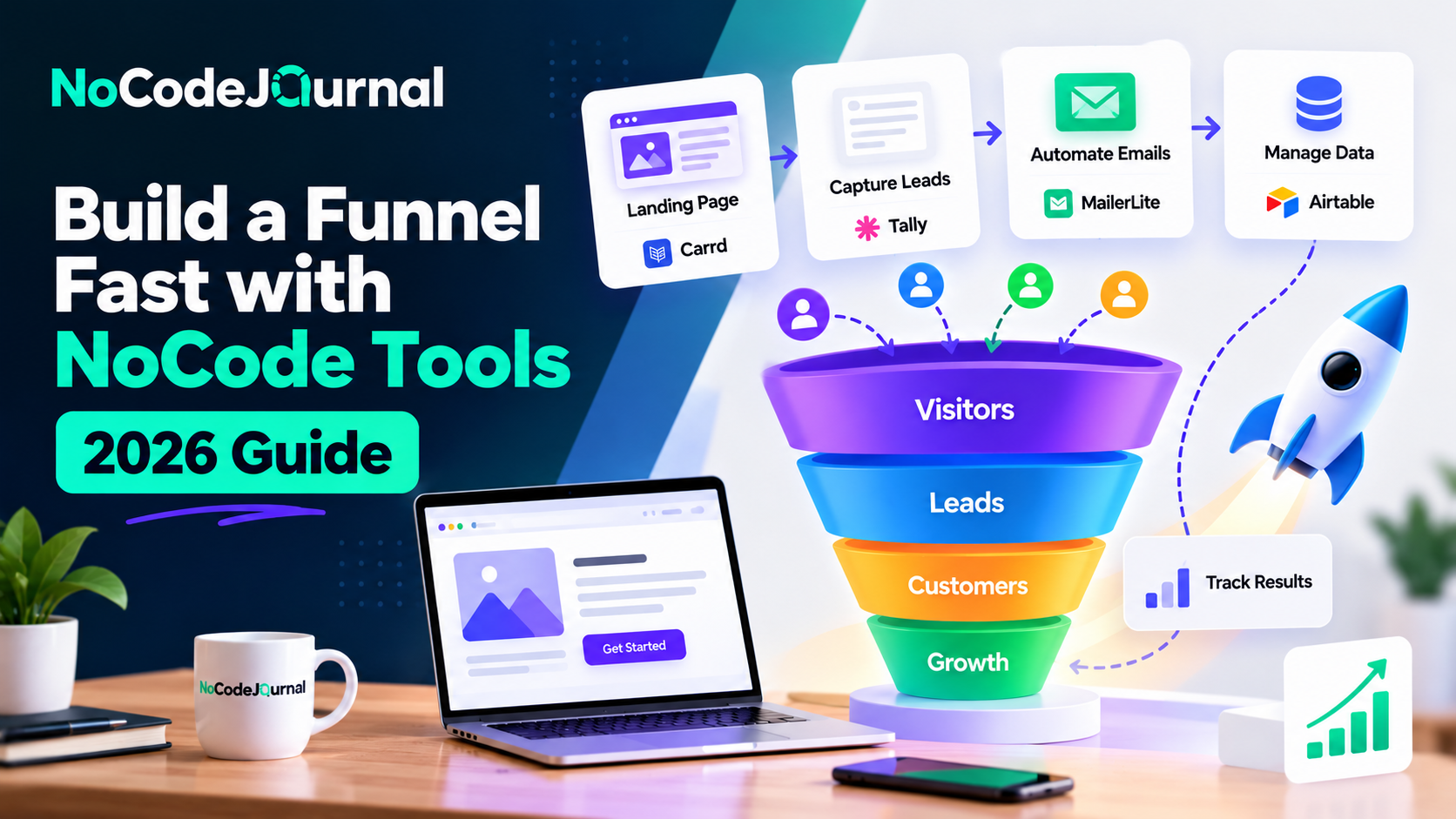
Imagine launching a marketing campaign in the morning and having a working sales funnel ready to capture leads, send automated emails, and accept payments by the end of the day.
A few years ago, creating this type of system could require web developers, designers, marketing specialists, and multiple software integrations.
Today, NoCode tools make the process considerably easier.
Whether you're an entrepreneur launching a product, a freelancer attracting clients, or a small business owner looking to generate more sales, you can build a functional marketing funnel without traditional programming knowledge.
The real advantage of NoCode funnel building is that it allows you to focus on customers, offers, and conversions rather than complicated technical development.
With visual landing page builders, automated email platforms, and payment integrations, you can connect the essential stages of your customer's journey.
In this guide, we'll explain how to build a funnel fast with NoCode tools, explore the best platforms, and share practical strategies for launching, measuring, and improving your funnel.
What Is a NoCode Sales Funnel?
A sales funnel is the journey potential customers follow from discovering your business to taking an action, such as purchasing a product, booking a consultation, or subscribing to a service.
A NoCode sales funnel uses visual software platforms to manage these steps without requiring custom programming.
For example, a visitor might discover your business through Instagram, click a link to your landing page, download a free resource, receive automated emails, and eventually purchase a product.
NoCode tools connect these activities into one structured customer journey.
The Four Main Stages of a Sales Funnel
1. Awareness
Potential customers discover your business through search engines, advertisements, social media, or other marketing channels.
2. Interest
Visitors explore your offer and may provide their contact information in exchange for something valuable.
3. Consideration
Prospects evaluate whether your product or service meets their needs.
Useful content, testimonials, and email communication can help build confidence.
4. Conversion
Interested prospects take the desired action, such as completing a purchase, booking a meeting, or requesting a quotation.
A successful funnel should make each transition straightforward.
Why Use NoCode Tools for Funnel Building?
Traditional funnel development can involve creating landing pages, configuring forms, building databases, integrating email platforms, and establishing payment workflows.
NoCode tools simplify many of these activities.
Faster Implementation
Visual editors and templates reduce the effort required to build common funnel components.
You can concentrate on messaging and user experience instead of coding every feature.
Lower Initial Costs
Many NoCode platforms offer free trials or entry-level subscriptions.
This allows small businesses to test funnels without immediately investing in custom development.
Easy Customization
Businesses can update headlines, forms, images, and calls to action directly through visual editors.
Workflow Automation
Connected tools can manage repetitive activities such as lead collection, customer notifications, and email follow-ups.
Greater Independence
Entrepreneurs and marketing professionals can make routine improvements without depending on developers for every change.
To explore these advantages in more detail, read our article on the benefits of NoCode development.
Step 1: Define Your Funnel Goal
Before choosing any tools, identify the primary result you want your funnel to achieve.
A funnel designed to sell an online course will differ from one created to generate real estate inquiries.
Common goals include collecting email subscribers, generating qualified leads, scheduling consultations, selling digital products, and increasing free-trial registrations.
Identify Your Target Audience
Start by understanding who you want to reach.
Ask yourself:
-
What problem does my audience need to solve?
-
What motivates them to search for a solution?
-
What objections might prevent them from buying?
-
Which marketing channels do they use?
-
What would make them trust my business?
For example, a productivity coach might target freelancers who struggle with time management.
The coach could offer a free productivity checklist and later introduce a paid coaching program.
Create One Clear Offer
Avoid presenting multiple unrelated offers within the same funnel.
A focused message makes it easier for visitors to understand what to do next.
Your initial offer might be a free guide, an introductory consultation, a product demonstration, or a limited trial.
The most effective offers provide a specific and relevant benefit.
Step 2: Build a Landing Page Without Coding
Your landing page is one of the most important elements of your funnel.
It's where visitors decide whether to explore your offer or leave.
Unlike a traditional website with numerous navigation options, a landing page usually focuses on one primary action.
Best NoCode Landing Page Builders
Carrd
Carrd is suitable for simple, responsive one-page websites.
It works particularly well for freelancers, creators, and entrepreneurs launching basic lead-generation funnels.
Webflow
Webflow provides advanced visual design controls for businesses seeking greater customization.
It's useful for creating branded landing pages with flexible layouts.
Framer
Framer offers visual website creation with modern design tools and interactive elements.
It can be useful for startups launching visually polished product pages.
Systeme.io
Systeme.io combines landing pages with email marketing and funnel-related functionality.
This may reduce the need to connect several separate applications.
Essential Landing Page Elements
Start with a headline that communicates the main benefit of your offer.
Add a short supporting description explaining who the offer is for.
Include a visible call-to-action button.
Use relevant images or product previews when they help visitors understand your offer.
Include authentic testimonials or customer feedback if available.
Finally, remove unnecessary distractions.
For example, a landing page promoting a free marketing checklist could use the headline:
"Launch Your First Marketing Funnel Without Hiring a Developer."
The primary button might say "Download the Free Checklist."
If you need help creating your first page, explore our guide on how to build your dream website without coding.
Step 3: Create a Lead Magnet That Attracts Customers
A lead magnet is something valuable offered to visitors in exchange for their contact information.
Lead magnets are especially useful for businesses that need to establish trust before asking customers to make a purchase.
Popular Lead Magnet Ideas
Free Checklists: Help users complete a specific activity.
eBooks: Explain a topic or solve a common problem.
Templates: Provide ready-made resources that save time.
Webinars: Teach a useful skill or explain a business strategy.
Free Trials: Allow potential customers to experience a product.
Interactive Quizzes: Help visitors identify their needs or receive personalized recommendations.
NoCode Tools for Creating Lead Magnets
Canva can help create PDF guides, presentations, and visual checklists.
Notion is useful for developing shareable templates and educational resources.
Google Docs can support simple downloadable guides.
Tally and Typeform can help create interactive surveys or assessments.
Focus on Practical Value
A successful lead magnet should solve one clearly defined problem.
For example, an entrepreneur selling a social media course could offer a free seven-day content calendar.
The resource provides immediate value while introducing potential customers to the creator's expertise.
Avoid collecting excessive personal information.
For many early-stage funnels, an email address may be sufficient.
Step 4: Capture Leads With NoCode Forms
Once your landing page and lead magnet are ready, you need a reliable way to collect visitor information.
NoCode form builders simplify this process.
Recommended Form Builders
Tally: Offers customizable forms, conditional logic, and integrations.
Typeform: Supports conversational forms and interactive questionnaires.
Google Forms: Provides straightforward information collection.
Jotform: Offers templates and business-oriented form features.
Choose a tool based on the information you need, design preferences, and integration requirements.
Keep Your Form Simple
Long forms can discourage visitors from completing registrations.
Ask only for information necessary to deliver the offer or qualify the inquiry.
For a free downloadable guide, an email address may be enough.
For a consulting inquiry, you might also request a name and brief description of the client's needs.
Provide a clear privacy notice and explain how contact information will be used.
If you plan to send promotional emails, obtain appropriate consent.
Step 5: Automate Your Email Follow-Up Sequence
Collecting email addresses is only the beginning.
A funnel becomes more useful when it helps build relationships with subscribers.
Email automation allows businesses to send messages based on subscriber actions, preferences, or timing.
Best NoCode Email Marketing Tools
MailerLite
MailerLite provides email campaign creation, subscriber management, and visual automation workflows.
Kit
Kit, formerly ConvertKit, provides email marketing functionality designed for creators and online businesses.
Brevo
Brevo offers email marketing, contact management, and automation features.
ActiveCampaign
ActiveCampaign supports more advanced customer segmentation and marketing automation.
Create a Simple Email Sequence
Consider a three-email sequence for someone who downloads a free marketing guide.
Email 1: Welcome and Delivery
Send the promised resource and explain how to use it.
Email 2: Education and Trust
Share practical advice, a relevant example, or a useful case study.
Email 3: Introduce Your Offer
Explain how your paid product or service can help the subscriber achieve a further result.
The timing should reflect customer expectations and the type of offer.
A high-consideration B2B service may need a longer nurturing period than a low-cost digital download.
MailerLite's official guide to creating an automation workflow explains how to configure triggers, email actions, and workflow sequences.
Step 6: Connect Your Funnel With NoCode Automation
A funnel often involves several different platforms.
Your landing page may use one service, email marketing another, and customer tracking a third.
Automation tools help connect these systems.
Popular NoCode Automation Platforms
Zapier
Zapier connects applications through automated workflows containing triggers and actions.
Make
Make provides a visual environment for connecting services and configuring multi-step workflows.
n8n
n8n offers workflow automation with more technical flexibility, including self-hosting options.
Example: Automating Lead Capture
Imagine a visitor completing a Tally form.
You could configure a workflow that:
-
Receives the new form submission.
-
Creates a contact in an email marketing platform.
-
Adds the lead to Airtable.
-
Sends an internal notification.
-
Starts an appropriate welcome sequence.
This reduces repetitive administrative work.
Zapier's official Zap workflows quick start guide explains how triggers and actions work together in automated processes.
Test Every Connection
Before launching, submit sample information through your funnel.
Verify that records appear correctly, emails reach the intended addresses, and no duplicate contacts are created unexpectedly.
Pay particular attention to consent preferences, failed automations, and data privacy.
Step 7: Create a Sales Page That Converts
Once prospects understand your offer, they need a clear opportunity to take the next step.
For some businesses, this means purchasing a product.
For others, it means booking a consultation or requesting a demonstration.
What Makes a Strong Sales Page?
An effective sales page usually includes a clear value proposition, a description of the target customer's problem, an explanation of the solution, relevant benefits, trustworthy evidence, pricing information, and a visible call to action.
Focus on outcomes rather than simply listing features.
For example, instead of saying that a software product includes automated notifications, explain how those notifications can reduce missed customer follow-ups.
Use Authentic Social Proof
Customer testimonials, case studies, and reviews can help build trust.
However, never invent testimonials, performance statistics, or customer endorsements.
If you're launching a new business without customer reviews, demonstrate your expertise through useful examples and transparent explanations.
Make the Next Step Obvious
Avoid overwhelming prospects with competing actions.
If the goal is to book a consultation, make the booking option prominent.
If you're selling a product, provide a clear path to checkout.
Step 8: Add Payments or Appointment Booking
A funnel should make completing the desired action straightforward.
For product sales, this typically involves a checkout process.
For service businesses, it may involve booking a meeting.
NoCode Payment Options
Stripe Payment Links: Create hosted payment links for supported products and services.
Gumroad: Sell digital products through hosted checkout and delivery tools.
Lemon Squeezy: Supports digital products, software sales, and subscription-related workflows.
Payhip: Offers digital product sales and online storefront functionality.
Check payment-provider availability, transaction fees, supported currencies, and tax responsibilities before choosing a service.
NoCode Appointment Scheduling
Businesses offering services can use tools such as Calendly or TidyCal to let prospects book available time slots.
For example, a consultant could connect a "Book a Free Discovery Call" button to a scheduling page.
Once booked, the appointment can appear in the relevant connected calendar.
Step 9: Track Your Funnel's Performance
Launching a funnel doesn't guarantee that it will generate results.
You need data to understand where visitors lose interest and which activities contribute to conversions.
Important Funnel Metrics
Landing Page Conversion Rate
Measures the percentage of visitors who complete the landing page's intended action.
Cost per Lead
Shows how much you spend to acquire an individual lead through paid campaigns.
Email Click Rate
Helps evaluate whether subscribers are engaging with email content.
Sales Conversion Rate
Measures the proportion of relevant prospects or visitors who become customers.
Customer Acquisition Cost
Estimates the cost of acquiring a paying customer.
Use Google Analytics
Google Analytics can help track website activity and important actions.
For a lead-generation funnel, you might want to measure successful form submissions.
Google's official guide to marking events as key events explains how to identify actions that matter to your business and report on their performance.
Ensure your forms and integrations generate appropriate tracking events.
A tool cannot measure an action accurately if the underlying event hasn't been implemented correctly.
Step 10: Optimize Your Funnel Through Testing
Your first funnel is a starting point rather than a finished system.
After collecting enough meaningful data, identify opportunities for improvement.
Test Landing Page Headlines
Try different messages that explain the value of your offer.
One version might emphasize saving time, while another focuses on reducing costs.
Improve Calls to Action
Experiment with clear, specific button labels.
For example, "Get My Free Marketing Plan" may communicate more value than a generic "Submit" button.
Simplify Forms
Remove unnecessary fields and improve instructions where users experience difficulty.
Refine Email Sequences
Review email click activity, unsubscribe rates, and customer responses.
Adjust content based on subscriber needs.
Review Your Offer
Sometimes a funnel performs poorly because the offer doesn't address a sufficiently important problem.
Changing the headline won't solve an offer that customers don't value.
For additional approaches to experimentation and customer acquisition, explore our guide on growth hacking strategies for global startups.
Best NoCode Tools for Building a Funnel
| Funnel Component | Recommended Tools | Main Purpose |
|---|---|---|
| Landing page | Carrd, Framer, Webflow | Attract visitors |
| Lead magnet | Canva, Notion | Offer valuable resources |
| Lead capture | Tally, Typeform | Collect contact details |
| Email marketing | MailerLite, Kit, Brevo | Nurture subscribers |
| Automation | Zapier, Make | Connect applications |
| Database or CRM | Airtable, HubSpot | Organize leads |
| Checkout | Stripe, Gumroad | Process purchases |
| Scheduling | Calendly, TidyCal | Book appointments |
| Analytics | Google Analytics | Measure performance |
You don't need every platform listed above.
Choose one appropriate solution for each essential activity and prefer native integrations when they meet your requirements.
Real-World Example: Building a Funnel for an Online Course
Imagine a freelance designer launching a course about creating social media graphics.
The goal is to attract potential students and convert interested subscribers into paying customers.
Stage 1: Attract Visitors
The designer shares educational content through Instagram, LinkedIn, and search-friendly blog posts.
Stage 2: Offer a Free Resource
Visitors are directed to a Carrd landing page offering a free social media design checklist.
Stage 3: Capture Email Addresses
A Tally form collects email addresses from interested visitors.
Stage 4: Deliver the Resource
MailerLite sends the checklist and begins a short educational email sequence.
Stage 5: Introduce the Course
Subscribers receive information about the paid course, including its curriculum, intended audience, and pricing.
Stage 6: Accept Payments
Interested customers use a supported checkout platform to purchase the course.
Stage 7: Monitor Results
The designer reviews lead submissions, email engagement, and sales performance.
This funnel can begin with a relatively small number of tools.
It can also be improved gradually as the creator learns more about customers.
Common Mistakes to Avoid When Building a NoCode Funnel
Using Too Many Tools
Connecting unnecessary applications can increase expenses and make troubleshooting difficult.
Begin with the simplest workable setup.
Ignoring Mobile Visitors
Test your landing page, forms, and checkout on mobile devices.
Buttons should be easy to select, and forms should be simple to complete.
Making Unsupported Promises
Avoid exaggerated claims about results, income, or conversion improvements.
Accurate messaging builds stronger long-term trust.
Forgetting Email Consent
Don't assume that every form submission authorizes unlimited promotional communication.
Follow applicable privacy and email marketing requirements.
Neglecting Tracking
Without reliable measurement, it becomes difficult to distinguish effective improvements from assumptions.
Launching Without Testing
Run through the complete customer journey before sending real traffic to your funnel.
How Much Does a NoCode Funnel Cost?
The cost depends on the platforms selected, traffic volume, and features required.
Some tools provide free plans suitable for initial experiments.
However, custom domains, advanced automation, email subscriber limits, premium integrations, and payment fees may introduce additional costs.
A simple funnel can begin with a landing page, signup form, and email marketing platform.
As the business grows, more advanced capabilities may become necessary.
Before subscribing, compare total monthly costs and examine usage-based pricing.
The goal is not to use the cheapest possible tools at every stage.
It's to create a reliable system that provides value relative to its cost.
How NoCode Funnels Support Business Growth
A well-designed funnel does more than capture email addresses.
It creates a repeatable process for turning audience attention into measurable business opportunities.
Businesses can use funnels to test products, validate customer interest, and improve communication.
For example, a startup might use a landing page to determine whether enough people want an upcoming software product.
A consultant could track how many website visitors book discovery calls.
An online educator could evaluate which free resources attract potential students.
These insights help businesses make better marketing decisions.
If you're also organizing leads and customer information, our guide to Stackby as a NoCode tool explains how database-oriented platforms can support operational workflows.
The Future of NoCode Funnel Building
NoCode marketing tools continue to evolve alongside artificial intelligence and improved automation.
AI-assisted features can help generate draft landing page content, suggest email sequences, and organize campaign ideas.
Some platforms also support audience segmentation and behavior-based workflows.
These capabilities may help smaller teams manage more sophisticated campaigns.
However, technology doesn't replace customer understanding.
A successful funnel still depends on a meaningful offer, clear communication, ethical marketing practices, and continuous improvement.
Businesses that combine automation with customer research will be better positioned to create useful experiences.
Conclusion: Launch Your NoCode Funnel With Confidence
Building a funnel fast with NoCode tools is now a practical option for entrepreneurs, marketers, and small businesses.
Visual website builders simplify landing page creation.
Form tools collect customer information.
Email platforms automate communication.
Integration services connect applications, while analytics tools help measure important actions.
Together, these platforms can support a complete customer journey without requiring extensive programming knowledge.
However, the most important part of funnel building isn't selecting software.
It's understanding your audience and providing a compelling reason to take the next step.
Start with one audience, one offer, one landing page, and one clear call to action.
Test the experience, measure results, and improve the funnel based on what you learn.
With the right strategy and carefully selected NoCode tools, you can build a scalable foundation for customer acquisition and business growth.
Frequently Asked Questions
What is a NoCode sales funnel?
A NoCode sales funnel is a marketing process built using visual tools rather than custom programming. It can include landing pages, forms, automated emails, and checkout systems.
Can beginners build a sales funnel without coding?
Yes. Beginner-friendly platforms such as Carrd, Tally, MailerLite, and Zapier provide visual tools for creating common funnel components.
How long does it take to build a NoCode funnel?
A simple funnel may be built within a day when content and integrations are ready. More complex projects can take longer, especially when testing, tracking, and compliance reviews are required.
What are the best NoCode tools for funnel automation?
Popular options include Zapier, Make, MailerLite, Kit, and Brevo. The best choice depends on the applications and workflows you need.
Can I build a NoCode funnel for free?
Some platforms offer free plans suitable for testing. However, custom domains, premium integrations, advanced automation, and higher usage may require paid subscriptions.
How do I measure funnel conversions?
Use analytics and application reporting tools to track actions such as form submissions, bookings, and purchases. Compare those results with relevant traffic or lead counts.
Do I need a CRM for a NoCode funnel?
Not always. A simple email marketing platform may be sufficient initially. A CRM becomes more useful when managing complex customer relationships, multiple sales stages, or team collaboration.