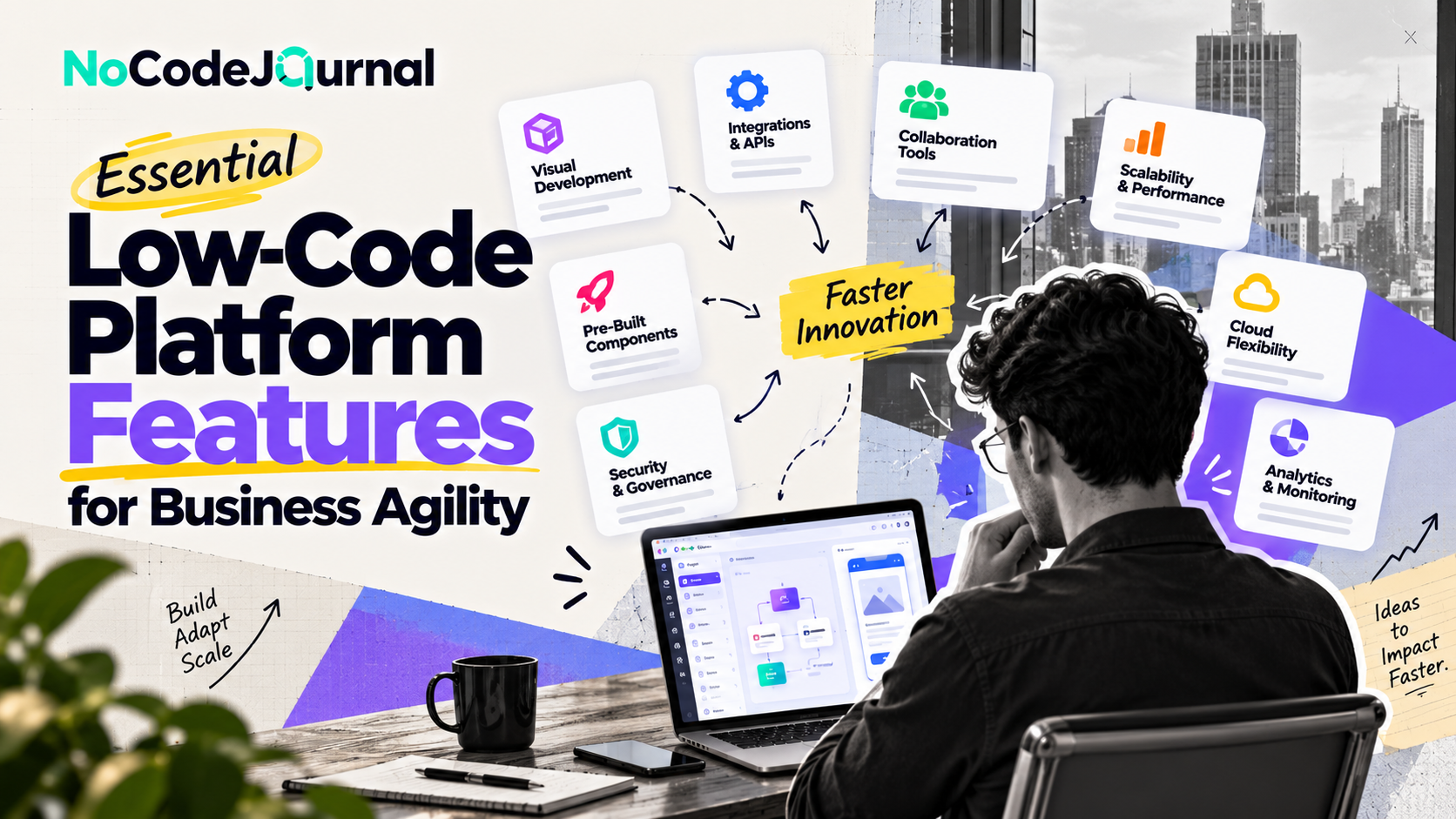
In today's fast-moving digital world, businesses must adapt quickly to changing customer expectations, emerging technologies, and competitive market conditions. However, traditional software development often involves lengthy processes, significant investments, and specialized technical expertise.
This is where low-code platforms are transforming how businesses operate.
Low-code development platforms empower organizations to build applications, automate workflows, and improve business processes with minimal manual coding. Instead of depending entirely on development teams, business professionals can actively participate in creating digital solutions.
But not every low-code platform delivers the same capabilities.
Understanding the essential features of a low-code platform is critical for businesses that want to improve efficiency, encourage innovation, and achieve greater organizational agility.
In this article, we'll explore the key features that make low-code platforms valuable, how they empower business users, and what organizations should consider before adopting these technologies.
What Is a Low-Code Development Platform?
A low-code development platform is a software development environment that enables users to create applications through visual interfaces, prebuilt components, and automated development tools.
Unlike traditional programming, where developers manually write most application code, low-code platforms simplify common development activities.
Users can visually design interfaces, connect databases, establish workflows, and configure application functionality.
Professional developers can also extend many low-code solutions using custom programming when advanced features are required.
This combination of visual simplicity and technical flexibility makes low-code development suitable for a variety of business applications.
Low-Code vs. No-Code Development
Although low-code and no-code development share similar goals, they serve slightly different needs.
No-code development focuses on allowing people to create digital solutions without writing programming code.
Low-code development offers similar visual tools but also supports custom coding for more advanced requirements.
For example, a marketing professional might use a no-code platform to create a landing page, while a business analyst and developer could collaborate on a low-code application that integrates customer information from several databases.
Both approaches reduce barriers to software development.
To understand their broader advantages, explore our guide on the benefits of NoCode development.
Why Business Agility Matters More Than Ever
Business agility refers to an organization's ability to respond quickly and effectively to changes in its environment.
These changes might include shifting customer preferences, evolving regulations, emerging technologies, or new market opportunities.
An agile business can adjust its operations without experiencing unnecessary delays.
Technology plays an important role in achieving this flexibility.
For example, a retail business might need to introduce a new inventory tracking system during a period of rapid expansion.
A healthcare organization might require a customized appointment-management application.
A marketing team might need to automate lead processing during a major campaign.
When developing these solutions takes months, organizations risk losing valuable opportunities.
Low-code platforms help address these challenges by simplifying application development and enabling faster improvements.
Let's examine the most important features that make this possible.
1. Visual Drag-and-Drop Application Development
One of the most valuable low-code platform features is a visual development environment.
Instead of writing code for every interface component, users can build applications using drag-and-drop tools.
These tools typically include ready-made elements such as:
-
Buttons and navigation menus.
-
Forms and input fields.
-
Data tables and charts.
-
Customer dashboards.
-
Workflow components.
-
Interactive user interfaces.
Users can arrange these components visually and configure how they behave.
How visual development empowers business users
Consider a human resources manager who wants to create an employee onboarding application.
Using a low-code platform, the manager could design a registration form, add document upload fields, and create an employee information dashboard.
The application could then be connected to an existing employee database.
Although more complex integrations may require developer assistance, much of the initial design can be completed by the business team.
This reduces communication barriers between technical departments and operational teams.
It also allows users to experiment with different application designs before committing to extensive development work.
2. Prebuilt Templates and Reusable Components
Building applications from scratch requires considerable effort.
Low-code platforms simplify development by providing reusable components and application templates.
These resources help organizations avoid repeatedly creating common functionality.
A business might use a ready-made template for employee leave requests, customer support tickets, inventory management, or expense approvals.
Templates can then be customized to match specific workflows.
Benefits of reusable components
Reusable components provide several advantages.
First, they reduce development time by eliminating repetitive implementation tasks.
Second, they help maintain consistency across applications.
Third, they make application maintenance easier because standardized elements can be managed more effectively.
For example, an organization developing several internal tools might use the same authentication component, navigation structure, and reporting interface.
This creates a more consistent experience for employees.
Many enterprise-focused platforms also support shared component libraries, allowing development teams to establish design standards across departments.
3. Seamless Integration With Existing Business Systems
Modern businesses rarely depend on a single software application.
A typical organization might use Salesforce for customer management, Microsoft 365 for productivity, an accounting platform for finances, and separate tools for project management.
A low-code platform becomes significantly more valuable when it can connect with these existing systems.
APIs and prebuilt connectors
Application programming interfaces, commonly known as APIs, allow different software applications to exchange information.
Many low-code platforms provide prebuilt connectors that simplify these integrations.
For example, a sales application might connect to a CRM, retrieve customer information, and display updated sales activity.
A reporting dashboard might combine information from multiple databases.
According to Microsoft's Power Platform developer documentation, its low-code ecosystem supports application development, automation, analytics, and integration through connected services and extensibility tools.
The availability and capabilities of connectors differ between platforms, so organizations should test their required integrations before committing.
Why integration matters for agility
Connected applications reduce information silos.
Employees can access relevant data without constantly switching between different systems.
Businesses can also automate information transfers, improving operational efficiency and reducing repetitive manual entry.
4. Powerful Business Process Automation
Business process automation is another essential feature of effective low-code platforms.
Organizations regularly perform repetitive tasks that consume employee time.
Examples include approving purchase requests, processing customer inquiries, updating records, and sending notifications.
Low-code workflow tools allow users to automate many of these processes through visual configuration.
Example: Automating expense approvals
Imagine a company where employees submit reimbursement requests through email.
Managers manually review each request, forward approved documents to finance, and notify employees about their reimbursement status.
A low-code application could automate this process.
Employees would submit requests through an online form.
The system would automatically route requests to the appropriate manager, notify finance after approval, and update the employee's status.
This workflow reduces manual coordination and makes the approval process easier to track.
Automation can also support marketing operations.
Read our guide on building a marketing funnel without code to see how visual automation tools can connect customer acquisition and follow-up activities.
5. Built-In Data Management Capabilities
Business applications depend on reliable data.
A low-code platform should make it easier to collect, organize, retrieve, and update information.
Many platforms provide built-in database tools or integrations with external databases.
Users may be able to create tables, define relationships, establish validation rules, and manage records through visual interfaces.
Making data easier to use
Consider a logistics company that needs to monitor deliveries.
A low-code application could store customer information, shipment records, delivery statuses, and driver assignments.
Employees could access this information through a centralized dashboard.
Managers could then identify delayed deliveries, monitor workload, and review operational performance.
Well-designed data management capabilities help businesses improve visibility and make informed decisions.
However, organizations must still establish data quality standards, access controls, retention policies, and appropriate backup procedures.
Visual development does not remove the need for responsible data management.
6. Strong Security and Access Controls
Security is one of the most important considerations when evaluating low-code development platforms.
Applications frequently process confidential business information, customer details, financial records, and employee data.
Organizations must ensure that only authorized individuals can access sensitive resources.
Essential security capabilities include:
-
Role-based access control.
-
User authentication.
-
Single sign-on integration.
-
Data encryption.
-
Audit logging.
-
Permission management.
-
Data loss prevention policies.
Why security governance matters
A sales representative might need access to customer records but should not necessarily have permission to view employee payroll information.
Role-based permissions help organizations control access according to job responsibilities.
A platform should also provide administrators with visibility into applications created by different departments.
Microsoft's guidance on low-code security and governance explains how organizations can balance business-user innovation with centralized security, compliance, and administrative controls.
Strong governance is essential because expanding application development across departments can otherwise introduce inconsistent security practices.
7. Real-Time Collaboration Between Teams
Application development is most successful when technical specialists and business users work together.
Traditional development processes sometimes create communication gaps.
Business teams describe their requirements, developers interpret them, and the completed application may not fully reflect operational needs.
Low-code platforms can reduce these challenges through collaborative development features.
Depending on the platform, teams may be able to share application projects, review changes, provide feedback, and manage development responsibilities.
Collaboration in practice
Imagine a customer service department requesting a customized ticket-management application.
Business users understand the problems employees encounter when tracking support requests.
Developers understand database architecture, security, and system integrations.
Using a low-code environment, both groups can contribute to the application.
Customer service employees can help design workflows and evaluate usability, while developers configure more complex functionality.
This collaborative approach can improve the final product and reduce unnecessary revisions.
8. Scalability and Performance Management
A successful business application may eventually serve hundreds or thousands of users.
Therefore, scalability should be considered before choosing a low-code platform.
Scalability refers to an application's ability to handle increasing workloads as business requirements grow.
An effective platform should offer appropriate infrastructure, performance monitoring, and options for expanding application capacity.
Planning for business growth
Imagine a startup launching an internal customer-management application for ten employees.
As the company expands, the same application may need to support multiple departments across different locations.
The business should evaluate whether its chosen platform can handle additional users, larger datasets, and more complex workflows.
Important considerations include database limits, API quotas, concurrent users, storage costs, and application performance.
Not every low-code platform supports the same level of scalability.
Businesses should examine platform documentation and test realistic workloads before deploying critical applications.
9. Mobile-Friendly and Responsive Applications
Employees increasingly work across laptops, tablets, and smartphones.
A low-code platform should support applications that function effectively on different devices.
Responsive design allows interfaces to adjust to different screen sizes.
Some platforms also provide dedicated mobile application development capabilities.
Supporting employees anywhere
Consider a field service company with technicians working at customer locations.
Technicians may need to access job details, update service statuses, upload photographs, and record customer signatures.
A mobile-friendly low-code application could simplify these activities.
Instead of returning to the office to complete paperwork, employees could update information directly from their devices.
This improves information availability and helps managers monitor operations more efficiently.
Businesses with employees working in areas with unreliable internet connectivity should also evaluate offline functionality.
10. AI-Assisted Development and Intelligent Automation
Artificial intelligence is increasingly becoming part of low-code development platforms.
AI-assisted tools can help users generate application layouts, suggest workflows, create formulas, and develop basic functionality using natural-language instructions.
For example, a business user might describe an application that tracks customer complaints and assigns them to support representatives.
An AI-assisted platform could help generate an initial structure for the application.
Users would then review and refine the result.
Improving productivity with AI
AI assistance can reduce the effort needed to create prototypes.
It may also help business professionals understand unfamiliar development concepts.
However, AI-generated functionality should be tested carefully.
Incorrect logic, insecure configurations, and incomplete requirements can create operational problems.
AI is best viewed as a development assistant rather than a replacement for appropriate testing, security review, and human decision-making.
11. Built-In Analytics and Reporting
Low-code platforms become especially useful when they help businesses transform operational information into actionable insights.
Built-in analytics and reporting capabilities may allow users to create dashboards, monitor performance indicators, and generate customized reports.
For example, a sales manager could create a dashboard showing monthly revenue, qualified leads, conversion rates, and individual sales performance.
A customer support manager could monitor response times and unresolved service requests.
Supporting data-driven decisions
Accessible reporting helps managers recognize problems earlier.
Rather than waiting for manually prepared reports, departments can review updated information directly from connected systems.
This improves transparency and supports faster decision-making.
Businesses can also use analytics to measure the effectiveness of newly introduced workflows.
For additional strategies on experimentation and performance improvement, explore our article on growth hacking strategies for global startups.
12. Application Lifecycle Management and Version Control
Developing an application is only the beginning.
Organizations must also test, deploy, update, maintain, and eventually replace software.
Application lifecycle management, or ALM, provides processes and tools for managing these activities.
Effective low-code platforms may offer version tracking, separate testing environments, deployment pipelines, and rollback options.
These capabilities help organizations introduce improvements without unnecessarily disrupting existing operations.
Why version control is important
Imagine an employee modifies a workflow used for processing customer orders.
If the change creates an unexpected problem, administrators should be able to identify what changed and restore a previous working version when supported.
Version control helps reduce operational risk and improves accountability.
For businesses developing multiple applications, centralized lifecycle management becomes particularly valuable.
13. Customization and Extensibility
Although visual development tools simplify application creation, businesses sometimes require functionality beyond standard components.
This is where customization becomes important.
A strong low-code platform should provide appropriate options for extending functionality through custom code, APIs, scripts, or reusable modules.
Professional developers can use these capabilities to address specialized business requirements.
Balancing simplicity and flexibility
For example, a financial services company might need a custom calculation engine that its low-code platform doesn't provide by default.
Developers could potentially create the calculation logic separately and connect it through an API.
Business users could continue managing the application's interface and basic workflows.
This approach combines the accessibility of low-code development with the flexibility of traditional programming.
Platforms such as Retool demonstrate how visual development and custom programming can work together.
Learn more in our detailed guide to Retool's no-code and low-code capabilities.
14. Easy Deployment and Cloud Accessibility
Deploying traditional applications can involve infrastructure configuration, server management, and environment setup.
Many low-code platforms simplify deployment by offering managed cloud hosting and publishing tools.
Users can build an application, configure necessary settings, and make it available to approved users through supported deployment options.
Benefits of simplified deployment
Faster deployment allows businesses to introduce new applications without lengthy infrastructure preparation.
Cloud-based access can also support employees working across multiple locations.
However, deployment simplicity shouldn't eliminate operational planning.
Organizations should still evaluate uptime commitments, backup options, disaster recovery, compliance requirements, and vendor support.
How Low-Code Platforms Empower Business Users
The true value of low-code platforms extends beyond their technical features.
They change how organizations approach problem-solving.
Business users are often the people who understand operational inefficiencies most clearly.
A marketing manager understands campaign bottlenecks. An HR manager recognizes onboarding challenges. A customer support representative knows which processes create unnecessary delays.
Low-code development gives these professionals more opportunities to contribute directly to digital solutions.
Rather than relying exclusively on IT departments for every application change, employees can participate in designing and improving the tools they use.
This is commonly known as citizen development.
When supported by appropriate governance, citizen development can encourage experimentation and reduce development backlogs.
It also allows professional developers to concentrate on complex engineering challenges while business teams handle suitable applications and workflows.
How to Choose the Right Low-Code Platform
Selecting a low-code platform requires more than comparing visual interfaces.
Organizations should begin by identifying the business problems they want to solve.
For example, a business focused on internal dashboards may have different requirements from a company developing customer-facing applications.
Evaluate the platform's integration capabilities, security controls, scalability, deployment options, pricing structure, and availability of technical support.
Consider whether the platform supports custom development when requirements become more complex.
It's also important to understand data portability and vendor dependency.
A low initial subscription cost may become less attractive if the business later faces expensive usage charges or limited migration options.
Before making a significant commitment, create a small pilot application.
Test the platform with realistic workflows and involve the employees who will actually use the solution.
This helps organizations identify limitations before investing substantial resources.
Real-World Applications of Low-Code Development
Low-code development can support a wide variety of business functions.
Human resources: Employee onboarding, leave requests, training management, and internal approval workflows.
Sales and marketing: Lead management, customer information dashboards, campaign tracking, and automated follow-ups.
Healthcare: Administrative scheduling, operational reporting, and non-clinical workflow management, subject to appropriate privacy safeguards.
Retail: Inventory tracking, supplier coordination, order management, and performance dashboards.
Finance: Expense management, invoice approvals, internal reporting, and compliance-related workflows.
These examples demonstrate how visual application development can improve everyday operations across different industries.
The Future of Low-Code Development and Business Agility
Low-code technology continues to evolve alongside cloud computing, automation, and artificial intelligence.
Future platforms are likely to place greater emphasis on natural-language development, intelligent workflow suggestions, integration capabilities, and enterprise governance.
As these tools become more sophisticated, employees may be able to develop increasingly complex business applications with less manual coding.
However, professional developers will remain essential for specialized systems, advanced integrations, security architecture, and performance optimization.
The most effective organizations will likely combine low-code accessibility with strong technical standards.
This balance can help businesses innovate without sacrificing reliability or control.
Conclusion
Low-code platforms are changing how businesses develop applications, automate operations, and respond to new opportunities.
Their essential features—including visual development, reusable components, system integrations, workflow automation, security controls, and application lifecycle management—make digital solutions more accessible to business users.
When implemented effectively, low-code platforms can reduce development bottlenecks, improve collaboration, and help organizations respond faster to changing requirements.
The greatest advantage isn't simply writing less code.
It's empowering the people closest to business challenges to participate in creating practical solutions.
For organizations seeking greater business agility, choosing the right low-code platform can be an important step toward a more efficient, adaptable, and innovative future.
Frequently Asked Questions
What are the most important features of a low-code platform?
The most important features include visual application development, reusable components, workflow automation, database connectivity, third-party integrations, security controls, and application lifecycle management.
How do low-code platforms improve business agility?
Low-code platforms help organizations develop and modify applications faster. This allows businesses to respond to customer needs, improve workflows, and introduce new services with fewer development delays.
Can business users develop applications without programming experience?
Yes. Many low-code platforms allow business users to create simple applications using visual tools. However, advanced integrations and complex functionality may still require professional development expertise.
Are low-code platforms secure for enterprise applications?
Low-code platforms can support enterprise security requirements when appropriate controls are available and correctly configured. Organizations should evaluate authentication, access management, encryption, monitoring, and compliance capabilities.
What is the difference between low-code and no-code platforms?
No-code platforms focus on application development without programming, while low-code platforms combine visual development tools with the ability to add custom code.
Are low-code platforms suitable for small businesses?
Yes. Small businesses can use low-code platforms to build internal tools, automate repetitive activities, and improve customer management. The best choice depends on requirements, pricing, and available technical resources.