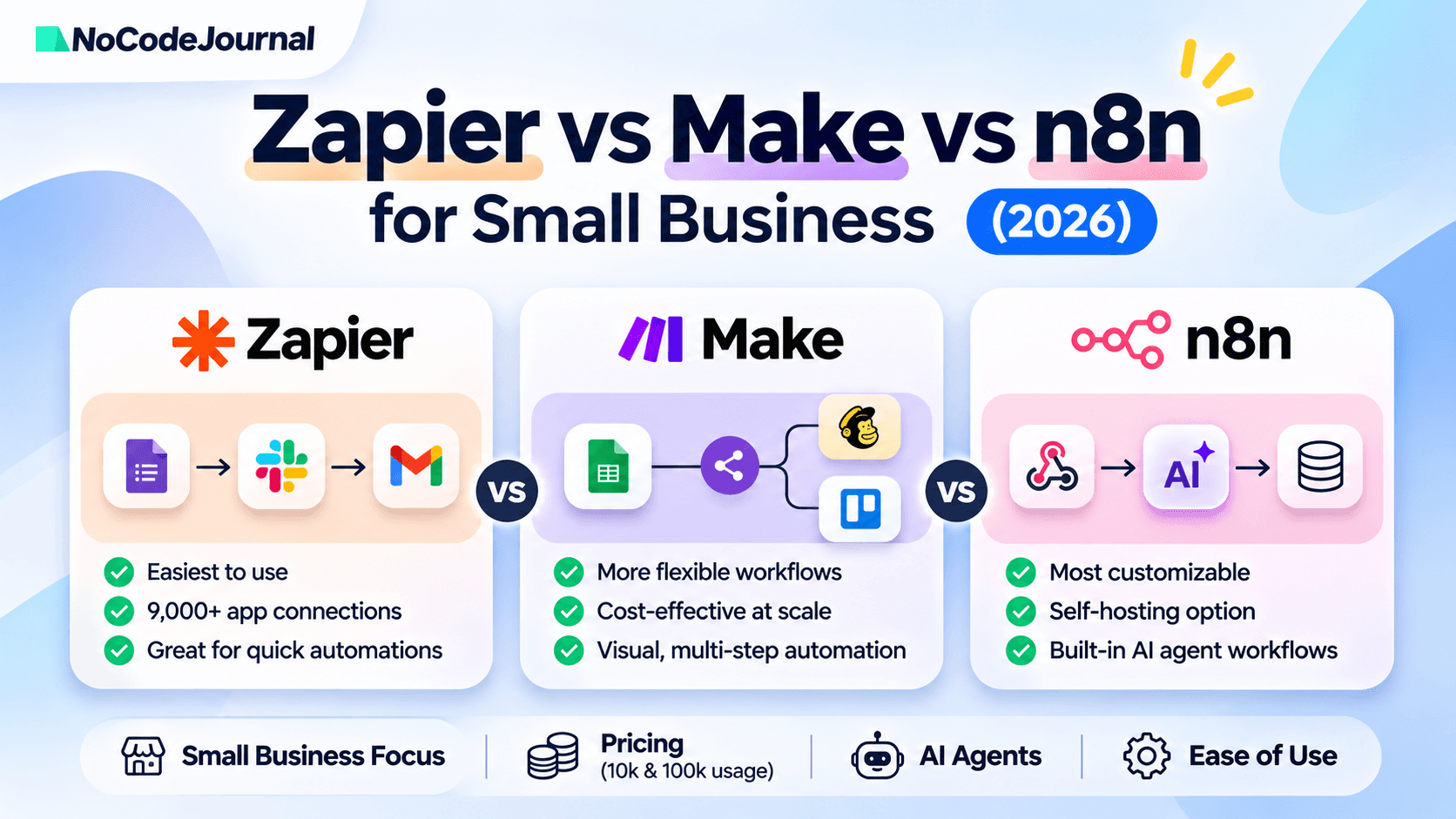
Zapier is the easiest choice for small businesses that want quick automation and access to thousands of app connections. Make is often better for cost-conscious teams building complex, multi-step visual workflows. n8n can be economical at high volumes, especially when self-hosted, but requires more technical expertise. Choose Zapier for simplicity, Make for workflow flexibility, and n8n when customization and infrastructure control matter most.
A customer submits an inquiry. Someone copies their details into a CRM, sends a confirmation email, creates a task, and reminds the sales team to follow up.
It's a familiar routine for small businesses. It's also exactly the kind of work that automation platforms can handle.
The challenge is choosing the right tool.
In 2026, the Zapier vs Make vs n8n decision involves more than comparing subscription prices. Each platform handles workflows, usage limits, integrations, and AI agents differently.
This guide compares their strengths, limitations, and costs so business owners can choose without paying for complexity they don't need.
Disclosure: NoCodeJournal is owned and operated by DSHG Sonic, whose AI automation services are mentioned later in this guide. Read our disclosure policy.
Zapier vs Make vs n8n: Quick Comparison
Pricing checked: November 16, 2026. Figures are based on official vendor pricing pages. Annual billing requirements and currencies are indicated where known.
| Feature | Zapier | Make | n8n |
|---|---|---|---|
| Ease of use | Easiest for beginners | Moderate learning curve | More technical |
| App connections | 9,000+ integrations | 3,500+ integrations | Built-in/community nodes and APIs |
| Cost at 10k monthly units | 10k-task tier available; exact price requires live selection | Core from $12/month for 10k credits | Cloud Pro €50/month for 10k executions, billed annually |
| Cost at 100k monthly units | 100k-task tier available; verify live price | Select suitable high-volume tier or buy extra credits; verify live price | Cloud Pro-2 base plus approximately €100 for 50k extra executions; base price requires confirmation |
| AI agent features | AI steps, MCP, Agents | Make AI Agents | AI Agent nodes, MCP, AI integrations |
| Self-hosting | No | No | Yes, Community Edition and eligible paid plans |
| Best for | Quick, common business workflows | Complex visual automation | Custom and technical workflows |
Important: The 10k and 100k columns represent each vendor's own billing units, not identical amounts of completed business work. Prices exclude applicable taxes, third-party AI model costs, and infrastructure expenses. Some high-volume quotes could not be independently retrieved from the interactive calculators.
Official pricing: Zapier, Make, and n8n.
Why Automation Pricing Is Difficult to Compare
Imagine a business receiving 10,000 leads per month.
For each lead, its workflow creates a CRM contact, sends an email, and posts a team notification.
In Zapier, the three successful action steps generally represent three tasks, meaning approximately 30,000 tasks across 10,000 leads.
In Make, each executed module typically consumes credits. Reading the lead, updating the CRM, generating a message, and sending notifications can all affect the total. Some AI operations consume more than one credit.
In n8n, a workflow run generally counts as one execution regardless of how many steps it contains. That same lead-processing process might use approximately 10,000 workflow executions, assuming one run per lead.
This is why comparing 10,000 Zapier tasks with 10,000 n8n executions does not demonstrate that the platforms can process the same workload for the listed price.
Before selecting a plan, estimate your monthly workflow runs, actions per run, retries, and AI usage.
Zapier: Best for Simple Business Automation
Zapier is a practical starting point for owners who want to automate common tasks without learning complex workflow architecture.
Its biggest strength is accessibility.
You choose an event that starts a workflow, such as receiving a form submission. Then you select actions in other applications.
For example, a local service business could automatically:
-
Capture inquiries from its website.
-
Add customer details to its CRM.
-
Send an acknowledgment email.
-
Notify the responsible employee.
-
Create a follow-up task.
Zapier calls these workflows Zaps.
Its extensive app integration directory helps when a business already uses several different software products.
What Does Zapier Cost in 2026?
Zapier offers a free plan with 100 monthly tasks.
Its Professional plan starts at $19.99 per month with annual billing, but that entry price does not cover 10,000 tasks. The appropriate high-volume tier must be selected separately.
Zapier provides 10k and 100k task options in its pricing selector. Confirm the displayed amount for your billing period before purchasing.
Because a workflow can contain several billable actions, costs may rise as the number of customers or automated processes increases.
Does Zapier Support AI Agents?
Yes. Zapier supports AI-enabled workflow steps, AI integrations, MCP connections, and agent capabilities.
Its Agents offering uses a separate activity-based allowance, so don't assume an ordinary Zap task subscription includes unlimited AI agent use.
This distinction matters for businesses automating email classification, customer support, or lead qualification.
Where Zapier Falls Short
Zapier may become less attractive when workflows need extensive branching, data transformation, or very high action volumes.
The interface remains approachable, but complicated business logic can become difficult to understand across many connected Zaps.
Choose Zapier when: Your business values simplicity, fast setup, and established app integrations more than extensive technical customization.
Make: Best for Multi-Step Visual Automation
Make takes a different approach to workflow design.
Instead of presenting automation primarily as a sequence of actions, Make uses a visual canvas where workflows connect modules, routers, filters, and processing steps.
This is useful when business operations require multiple decisions.
Imagine an online retailer receiving a new order.
A Make scenario could check the product category, update inventory, notify a specific fulfillment team, and create different follow-up tasks depending on the delivery method.
The visual design makes these paths easier to inspect and adjust.
What Does Make Cost in 2026?
Make offers a free plan with up to 1,000 credits per month.
Its Core plan has been advertised from $12 monthly for 10,000 credits, depending on the selected billing configuration.
For high-volume use, its pricing selector offers larger credit packages, including 80,000 and 150,000 credits. Businesses needing approximately 100,000 credits should compare a suitable package with the cost of additional credits.
Make's official documentation explains that most module actions use one credit, while some advanced AI actions may consume more.
Its pricing often appeals to teams creating complex workflows, but actual affordability depends on the number and type of operations performed.
Does Make Support AI Agents?
Yes. Make AI Agents allows teams to build AI-powered workflows that can evaluate information, choose actions, and operate through connected business applications.
The platform provides visibility into agent decisions and integrates AI functionality with its existing workflow environment.
AI agents are available across Make plans, although usage allowances, supported capabilities, and any external AI provider charges still need evaluation.
Where Make Falls Short
Make's flexibility introduces a learning curve.
A workflow with many routers, filters, iterators, and API calls can become difficult to maintain without careful design.
Businesses should document their scenarios and monitor credit consumption rather than assuming every workflow is inexpensive.
Choose Make when: You need complicated, multi-step automations and want a visual way to manage the logic without maintaining infrastructure.