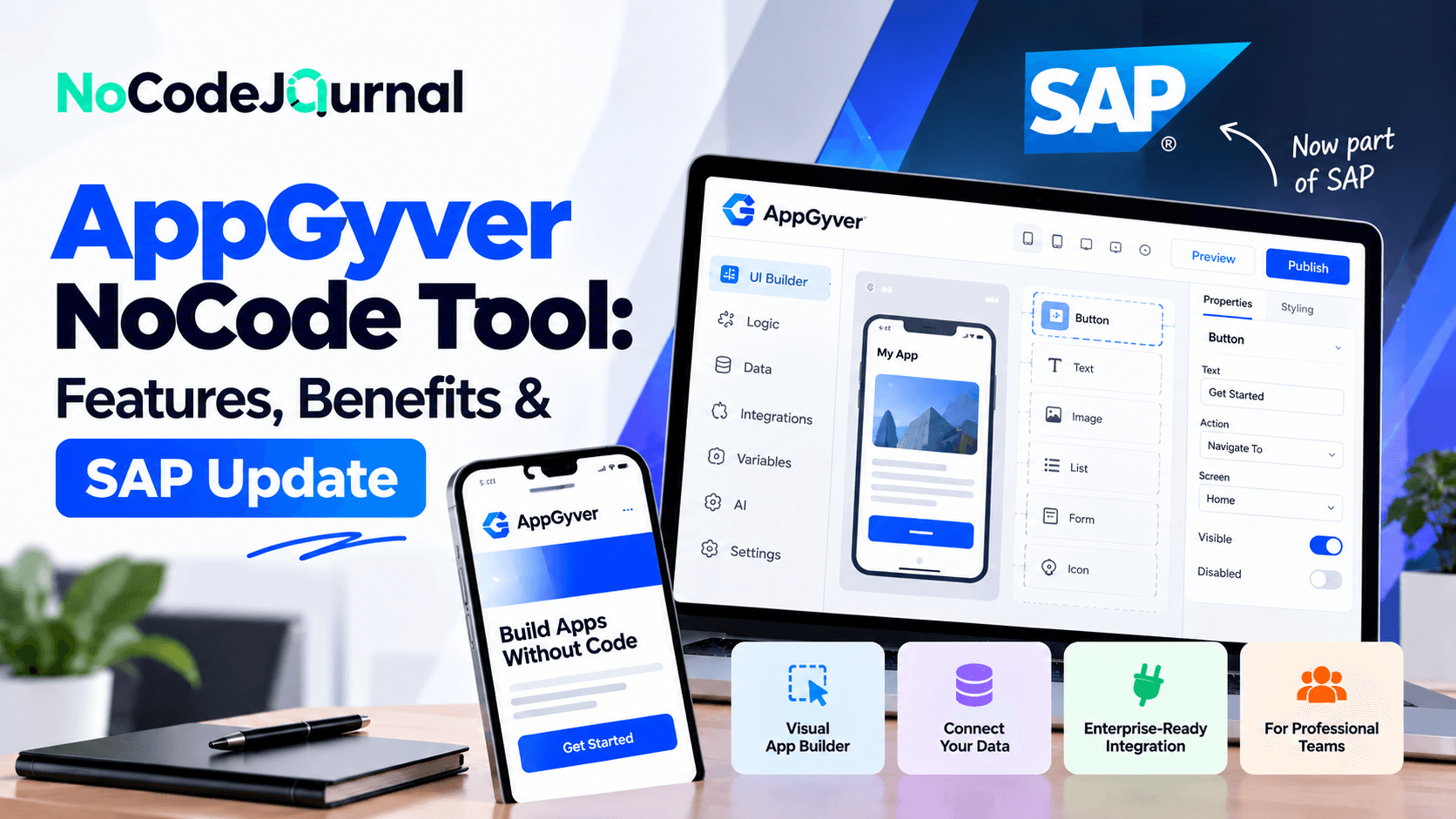
AppGyver is now SAP Build Apps, part of SAP's Build platform. It suits teams already on SAP. Everyone else usually picks by project: Bubble for full web apps, FlutterFlow or Adalo for mobile apps, Softr or Glide for portals and internal tools on existing data, and Lovable for AI-generated code you own. Check SAP's own page for current AppGyver status.
Best AppGyver alternatives in 2026
Checked November 20, 2026. Prices are USD starting rates for standard monthly billing where available, not temporary introductory offers. Features, export terms, usage limits, and regional prices can change; verify them on each vendor's linked pricing page before subscribing.
| Tool |
Best for |
How you build |
Code export |
Starting paid plan |
| SAP Build (successor to standalone SAP Build Apps) |
SAP-connected enterprise apps and workflows |
Visual tools, process blocks, AI and code-first options |
Partial; depends on the SAP Build tool |
Quote-based; contact SAP |
| Bubble |
Database-driven web apps and SaaS MVPs |
Visual editor, workflows and AI assistance |
No full application source-code export |
$39/month for Starter Web, monthly billing |
| FlutterFlow |
Native mobile apps and web apps needing source access |
Visual Flutter builder and AI assistance |
Yes, on a paid plan |
$39/month for Basic, monthly billing |
| Adalo |
Visual iOS, Android and web app publishing |
Visual canvas and AI prompts |
Partial; source export is a separately priced service |
$65/month for Builder, standard monthly rate |
| Glide |
Data-driven team apps and simple portals |
Data, visual components and AI features |
No complete app source-code export |
$25/month for Basic |
| Softr |
Client portals, directories and internal tools |
Visual blocks, connected data and AI |
No full application source-code export |
$25/month for Basic, monthly billing |
| Lovable |
Prompt-generated web apps with developer handoff |
AI prompts and editable code |
Yes, via code/GitHub workflows |
$25/month for Pro, monthly billing |
A note on comparisons: Bubble's listed rate here is for its web-only Starter plan, not its combined web-and-mobile plan. Adalo's standard rate excludes a first-month promotion. Softr also offers an annual-billing discount. SAP's licensing depends on the offering and contract; the standalone SAP Build Apps plan should not be treated as a new-customer purchase option.
SAP Build: For teams already working in SAP
SAP Build combines low-code development, automation, business sites and other development capabilities within SAP's enterprise environment. Choose it if SAP integration, permissions and governance are central to your project. It is usually a less straightforward choice for a small independent startup that does not already depend on SAP systems.
Bubble: For full-featured web applications
Bubble is designed for applications with user accounts, databases, workflows and interactive interfaces, such as marketplaces or SaaS prototypes. Choose it when you want to develop and launch a substantial web application visually. The trade-off is that Bubble does not provide a standard export of the entire app's source code, so plan for platform dependence.
FlutterFlow: For mobile apps and code ownership
FlutterFlow creates Flutter-based experiences through a visual builder, with generated code available on paid plans. Choose it if you are planning iOS and Android apps and want developers to be able to inspect or continue working with source code. Expect to plan separately for backend services, mobile releases and testing.
Adalo: For visually publishing mobile apps
Adalo offers a canvas-based builder for native iOS and Android apps and web experiences. Choose it if your priority is designing and publishing a relatively straightforward mobile product without writing its entire interface yourself. Source export is not part of the ordinary Builder subscription; the vendor describes it as a separately priced service.
Glide: For apps built around structured data
Glide works well for operational dashboards, directories, tracking tools and other applications based on existing records. Choose it when speed of building a useful team tool matters more than extensive custom interface logic. It is not an ideal choice if you need to take the full source code to another hosting environment later.
Softr: For portals and internal business tools
Softr is well suited to client portals, membership areas and internal workflows built around existing data. Choose it when roles, records, forms and an accessible visual editor are the main requirements. For highly customized product logic or complete code portability, assess its limitations before committing.
Lovable: For prompt-first web app development
Lovable lets users describe a web app in natural language, generate an initial implementation and refine it. Choose it if you value rapid experimentation and a workflow that developers can continue through source-code access. Generated applications still require engineering review, security checks and deployment planning before production use.
If you are comparing several of these options for a new product, see our best no-code tools for startups in 2026. For a more focused decision about three popular approaches, read Bubble vs Lovable vs Softr.
What replaced AppGyver?
AppGyver's technology evolved into SAP Build Apps following SAP's acquisition of the company in 2021. SAP later made a further change: on March 23, 2026, SAP Build Apps was deprecated as a standalone product, with new development directed toward the unified SAP Build offering. This is a change in product packaging and strategy, not a claim that every existing customer application stopped functioning on that date.
Existing customers should check the terms of their agreements, supported services and SAP's migration guidance. For a shorter explanation, read what replaced AppGyver; for primary-source details, consult SAP Build Apps – The Path Forward.
What was AppGyver, and why was it popular?
AppGyver was a visual no-code platform for creating mobile and web applications. Its Composer Pro environment let builders arrange interfaces, configure logic flows, connect APIs and work with application data without manually programming every screen or interaction.
That combination appealed to founders testing ideas, business teams creating internal tools and developers looking to shorten repetitive interface work. A user could assemble forms, lists and buttons, link them to data sources, use formulas for calculations and preview the result while building.
Key AppGyver features worth remembering
- Drag-and-drop interfaces: reusable UI elements such as forms, buttons, lists and containers.
- Visual logic flows: connected actions for validation, navigation, data retrieval and updates.
- Web and mobile development: visual tooling for applications intended for different devices.
- APIs and data connections: integration with external systems and services.
- Formulas and variables: conditional behavior, calculations and data transformation.
- Preview and testing: a way to check screens and user journeys before release.
Visual tools reduced the amount of code a builder had to write, but they did not remove the need to understand data models, authentication, permissions, error handling and testing. That lesson still applies to today's alternatives.
Is AppGyver still free in 2026?
The original free AppGyver Community Edition is not available as an independent product for new projects. Although AppGyver was known for free access, that historical offer should not be confused with SAP Build's current licensing or trial terms.
If your goal is to experiment without paying, several alternatives have free plans or limited free building environments. For example, Bubble has a development plan, FlutterFlow offers a free tier, Adalo supports free building and testing, and Glide, Softr and Lovable provide free ways to try their platforms. Free does not necessarily mean you can launch publicly, use a custom domain, export code, or avoid usage limits. Review the vendor's current terms rather than assuming a free plan will cover production.
How to choose an AppGyver alternative
Start with the type of application rather than the feature list. For a web marketplace or SaaS MVP, consider Bubble. For a native mobile app, compare FlutterFlow and Adalo, especially on code access and app-store publishing. For a portal, directory or operations app based on existing data, test Softr and Glide. For prompt-generated web applications that engineers may extend, examine Lovable. For an SAP-centered enterprise workflow, start with SAP Build.
Then check four practical questions: Who will maintain the app? Where will the data live? Can you move the application if your needs change? What will hosting, usage, integrations and publishing cost after the first month? Those questions often matter more than which builder produces the first screen fastest.
Outgrown no-code or need it built for you? DSHG Sonic, an AI Native Startup Studio, takes founders from idea to working product with senior engineers. Explore DSHG Sonic's startup services.
Can you migrate an existing AppGyver application?
A migration is usually a rebuild rather than a direct import. SAP has explained that existing standalone SAP Build Apps projects cannot simply be carried into the unified successor offering through a general one-click import. Moving to Bubble, FlutterFlow, Adalo or another unrelated builder similarly involves recreating interfaces and logic in the new environment.
Before selecting a destination, inventory your application's screens, data entities, external APIs, authentication methods, permissions, formulas, workflows and deployment requirements. Export the data that can be exported under your existing platform's terms, then rebuild the highest-value workflows in a small pilot. Test those workflows and their integrations before switching users over.
For teams considering a broader architectural change, our guide to outgrowing no-code explores when custom development may be the better long-term option.
What AppGyver's transition teaches today's builders
AppGyver demonstrated that visual development could make application creation more accessible. Its move into SAP also shows why platform selection should account for the vendor's long-term direction, not just current features or a free starting tier.
For a lasting product, assess support policies, data portability, source-code access, integration options, pricing changes and the resources needed to maintain it. Continue to conduct functional, security and mobile testing regardless of how much code the builder generates.
Conclusion: Which AppGyver alternative should you use in 2026?
There is no single replacement that fits every former AppGyver user. SAP Build is the natural place for SAP-dependent organizations to investigate, while Bubble, FlutterFlow, Adalo, Glide, Softr and Lovable serve different product types and development styles. Choose based on the application you need to ship, the people who will maintain it and how much control you need over your code and data.
Outgrown no-code or need it built for you? DSHG Sonic, an AI Native Startup Studio, takes founders from idea to working product with senior engineers. Explore DSHG Sonic's startup services.
Frequently Asked Questions
What is AppGyver?
AppGyver was a visual no-code platform used to create web and mobile applications with interface components, workflow logic, formulas and data integrations.
Is AppGyver still available in 2026?
The original AppGyver service is no longer offered independently for new projects. Its successor, SAP Build Apps, was retired as a standalone offering on March 23, 2026; SAP directs new development toward SAP Build.
What replaced AppGyver?
AppGyver first became part of SAP Build Apps. SAP's unified SAP Build offering is now the direction for new SAP-focused application development.
Was AppGyver free?
Yes. AppGyver historically provided a free Community Edition. That older option is no longer independently available, and current SAP offerings use different terms and licensing.
Can AppGyver build mobile applications?
Yes. The original platform supported visual development for mobile as well as web applications.
Do I need coding skills to use AppGyver?
AppGyver was designed to minimize traditional coding. More advanced projects still required an understanding of logic, data structures, integrations and testing.
Can I migrate an existing AppGyver application to SAP Build?
There is no general one-click import for moving standalone SAP Build Apps projects to the unified SAP Build offering. Teams may need to rebuild parts of the application and migrate supported data.
What are the best AppGyver alternatives?
SAP Build suits SAP-centered teams; Bubble fits interactive web applications; FlutterFlow and Adalo target mobile development; Glide and Softr work well for data-driven tools; and Lovable focuses on AI-generated web apps.
Is NoCode development suitable for business applications?
Yes. No-code tools can support internal workflows, portals, prototypes and other business applications when the platform meets the project's security, integration and maintenance requirements.
Should beginners learn AppGyver today?
Beginners will usually benefit more from learning an actively maintained builder. AppGyver remains useful for understanding how visual application development evolved.
What is the best free alternative to AppGyver?
Bubble, FlutterFlow, Adalo, Glide, Softr and Lovable offer free ways to explore app building, but publishing, code access and usage limits differ. The right free starting point depends on whether you need a web app, mobile app or internal tool.
Can I move an AppGyver app to another builder?
Yes, but it usually requires rebuilding screens and workflows rather than importing the app directly. Document your data, integrations, authentication, permissions and business logic before choosing a new builder, then test a small migration pilot.