What Is Stackby, and Is It Worth Using in 2026?
Stackby is a no-code database and workflow management platform that combines the simplicity of spreadsheets with relational databases, automation, AI-powered features, and customizable dashboards. It helps freelancers, startups, and business teams manage projects, organize customer information, automate repetitive tasks, and build business applications without extensive coding. In 2026, Stackby is particularly useful for organizations that need more flexibility than traditional spreadsheets while avoiding the complexity of custom software development.
Stackby Plans, Pricing and Features (October 2026)
|
Plan |
Starting price |
Best for |
Key limitations |
|---|---|---|---|
|
Free |
$0/month |
Individuals and small teams |
1,500 rows per stack; 100 internal automation runs |
|
Economy |
From $4.20/user/month |
Freelancers and small businesses |
7,000 rows per stack; 1,000 internal automation runs |
|
Business |
From $8.30/user/month |
Growing teams and agencies |
50,000 rows per stack; 25,000 internal automation runs |
|
Pro |
From $12.50/user/month |
Teams needing advanced workflows |
100,000 rows per stack; 100,000 internal automation runs |
|
Enterprise |
Custom pricing |
Large organizations |
Requires sales consultation and custom licensing |
Pricing as of October 16, 2026, in USD. Paid starting prices reflect Stackby's advertised annual-billing rates for a three-user team. Actual charges vary by team size and billing cycle.
Official source: Stackby Pricing and Feature Comparison.
Which Stackby Plan Should You Choose?
Stackby's Free plan is suitable for individuals and small teams that want to experiment with no-code databases, project tracking, and basic workflow automation without an upfront subscription.
The Economy plan is a practical starting point for freelancers and small businesses that need more records, storage, and automation capacity. Growing teams and agencies can consider Business for expanded databases, collaboration controls, and reporting capabilities.
Organizations managing larger datasets or more demanding workflows may benefit from Pro or a customized Enterprise plan. Before upgrading, compare row limits, automation allowances, integrations, storage capacity, and the number of users who require editing access.
For the latest subscription details and feature availability, visit the official Stackby pricing page.
What Is Stackby?
Stackby is a NoCode work management platform that combines spreadsheets, databases, automation, integrations, and AI-assisted functionality in one environment.
The platform allows users to organize business information using familiar tables while taking advantage of more advanced database capabilities.
Unlike traditional spreadsheets, Stackby supports relationships between tables, customizable data views, workflow automation, and connections with third-party services.
Users can create applications for customer relationship management, project tracking, marketing operations, inventory management, and many other business activities.
Why Was Stackby Created?
Stackby was founded to address a common business problem: organizations frequently rely on spreadsheets even when their operational requirements have become more complex.
Spreadsheets are useful for storing and analyzing information, but they can become difficult to manage when businesses need connected records, automated workflows, and collaboration.
Stackby aims to bridge this gap.
It provides a familiar spreadsheet-style experience while introducing database functionality that helps users organize relationships between different types of information.
The goal is to make customized business systems accessible without requiring extensive technical knowledge.
If you're new to visual development, our guide on the benefits of NoCode development explains why platforms like Stackby are becoming valuable business tools.
How Does Stackby Work?
Stackby organizes information using workspaces, stacks, tables, and records.
A workspace provides an environment for organizing related business activities.
Within a workspace, users can create stacks containing tables for specific purposes.
Each table stores records, while columns define the information associated with those records.
For example, a marketing agency could create a workspace containing customer information, campaigns, deliverables, and performance reports.
Team members could then connect relevant records and view information in different layouts.
Instead of managing multiple disconnected spreadsheets, the agency would have a more centralized operational system.
Let's explore the features that make this possible.
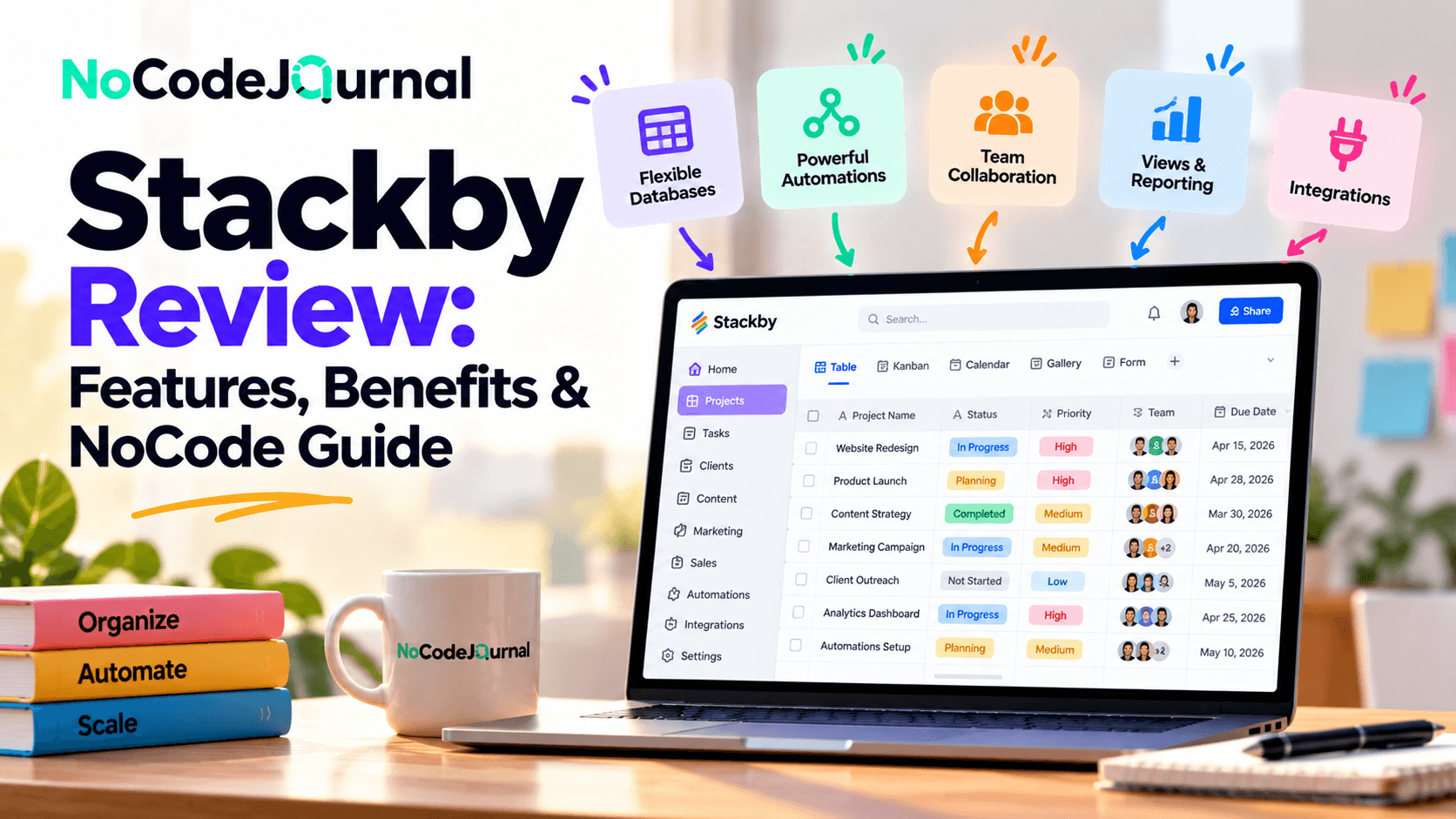
1. Spreadsheet-Style Database Management
One of Stackby's most important features is its combination of spreadsheet simplicity and relational database functionality.
The platform looks familiar to users who have worked with Microsoft Excel or Google Sheets.
However, it offers additional capabilities for organizing and connecting information.
Customizable Data Fields
Stackby supports different column types for storing information.
These include text, numbers, attachments, formulas, linked records, dropdown selections, and other specialized fields.
For example, an inventory database could contain product names, stock quantities, supplier information, product images, and pricing details.
Instead of forcing businesses into a fixed structure, Stackby allows them to customize fields around their requirements.
Relational Database Capabilities
Relational databases allow information in different tables to be connected.
Imagine a consulting business with separate tables for clients and projects.
A single client might have multiple active projects.
By linking these records, the business can access related information without repeatedly entering the same details.
This improves organization and reduces unnecessary duplication.
Best for: Businesses that have outgrown basic spreadsheets but don't want to develop custom database software.
2. Multiple Views for Organizing Work
Different business activities require different ways of visualizing information.
A sales manager might prefer a pipeline layout, while a project manager may need a calendar.
Stackby supports multiple views that allow users to display the same underlying information differently.
Grid View
Grid view provides a traditional spreadsheet-style layout.
It's useful for reviewing records, editing information, and managing large datasets.
Kanban View
Kanban organizes records into columns based on status or another selected field.
A sales team could create stages such as New Lead, Contacted, Proposal Sent, and Closed.
Records can then be organized according to their current stage.
Calendar View
Calendar layouts help users visualize date-based information.
Marketing teams can plan campaigns, content creators can schedule publications, and project managers can track deadlines.
Gallery View
Gallery layouts are useful when visual information matters.
Examples include creative portfolios, product catalogs, and marketing asset libraries.
Stackby also offers additional layouts, with availability depending on the platform's current features and plan.
These views help employees work with the same information in ways that suit their responsibilities.
3. NoCode Workflow Automation
Manual work can consume significant time.
Employees may repeatedly update records, send notifications, check deadlines, or transfer information between applications.
Stackby offers workflow automation features that can help reduce these repetitive activities.
How Stackby Automation Works
Automations generally involve two components:
Triggers: Events that start an automation.
Actions: Activities performed after the trigger occurs.
For example, an automation could begin when a new record is added to a customer database.
The system might then send a notification or create another related record.
Stackby's automation features include triggers based on record creation, record updates, form submissions, scheduled times, and other supported conditions.
Available actions include updating records, creating records, and sending selected notifications.
Practical Example: Lead Management
Imagine a digital marketing agency collecting inquiries from potential customers.
Without automation, employees might need to manually monitor submissions and assign leads.
With an appropriately configured Stackby workflow:
-
A potential customer submits an inquiry form.
-
A new lead record is created.
-
The record is assigned to the appropriate team member.
-
A notification is triggered.
-
The lead progresses through the sales pipeline.
This process can improve consistency while reducing manual coordination.
Stackby's official automation documentation explains supported triggers, actions, testing, and workflow execution.
4. Integration With Popular Business Applications
Modern businesses depend on multiple software services.
A marketing team may use different platforms for advertising, analytics, communication, and customer management.
Switching between these services can make reporting time-consuming.
Stackby offers integrations that help bring selected information into its database environment.
API-Powered Data Connections
APIs allow software applications to exchange information.
Stackby provides API-connected columns and integrations with supported external services.
For example, marketing users can explore integrations for retrieving information from services such as YouTube, Ahrefs, and other available providers.
Instead of manually copying information into spreadsheets, teams can configure supported integrations to retrieve data.
Connecting With Automation Platforms
Stackby also supports connections through third-party automation services such as Zapier and Make.
These platforms can extend workflow possibilities by connecting Stackby to additional applications.
For example, a business could connect a lead-generation form to Stackby through an automation platform.
The resulting customer record could then become part of a broader sales-management process.
Integration capabilities depend on the external service, subscription plan, and available API functionality.
5. Forms for Collecting Information
Collecting information is essential for business operations.
Organizations regularly need forms for customer inquiries, event registration, employee onboarding, surveys, and internal requests.
Stackby provides form-building capabilities that connect collected information with database records.
Why Integrated Forms Matter
Imagine an event organizer collecting registrations.
Without an integrated system, the organizer might receive submissions through one tool and manually transfer the information into another.
With Stackby forms, submissions can be organized directly within a connected database.
This simplifies record management and helps reduce repetitive data entry.
Common Uses for Stackby Forms
Businesses can create forms for customer feedback, contact inquiries, service requests, employee information, and project submissions.
Advanced form functionality may include conditional fields and customization options, depending on the selected plan.
Forms are especially useful when combined with automation.
For example, submitting a new request could trigger an internal notification.
6. Dashboards and Business Reporting
Collecting information is only useful when businesses can understand and act on it.
Stackby offers dashboard and reporting capabilities that help transform records into visual summaries.
Its Apps Marketplace includes tools for displaying information through charts, pivot tables, summary boxes, and other components.
Example: A Marketing Dashboard
Imagine a digital agency managing several customer campaigns.
The agency needs to monitor campaign activity, ongoing tasks, and performance metrics.
Rather than manually compiling reports from different spreadsheets, it could create dashboards using information stored in Stackby.
Managers could review progress, identify outstanding tasks, and monitor selected indicators.
Benefits of Visual Reporting
Dashboards can help businesses:
-
Identify operational bottlenecks.
-
Monitor project progress.
-
Review customer activity.
-
Track performance indicators.
-
Improve reporting consistency.
However, reporting quality depends on accurate data and properly configured integrations.
A dashboard doesn't automatically guarantee that its information is complete or current.
7. AI-Powered Databases and Workflows
Artificial intelligence is becoming an increasingly important part of NoCode development.
Stackby has introduced AI-related functionality, including AI field agents and an AI Co-builder.
These tools are designed to help users create workflows and process information more efficiently.
AI Co-builder
Stackby's AI Co-builder allows users to describe certain database or application requirements through prompts.
For example, a user might request a project tracker containing tasks, deadlines, owners, and progress statuses.
AI-assisted tools can help generate a starting structure that users can customize.
AI Fields
AI-powered fields can support activities such as generating content, analyzing information, and processing selected data.
Stackby describes integrations with AI model providers including OpenAI, Anthropic, and Google.
Depending on configuration, users may need to connect their own API keys.
Why AI Matters for Business Users
AI assistance can reduce the effort required to configure databases and process repetitive information.
However, AI-generated results should still be reviewed.
Incorrect data, unexpected outputs, and privacy considerations can create problems if organizations rely on automated results without appropriate checks.