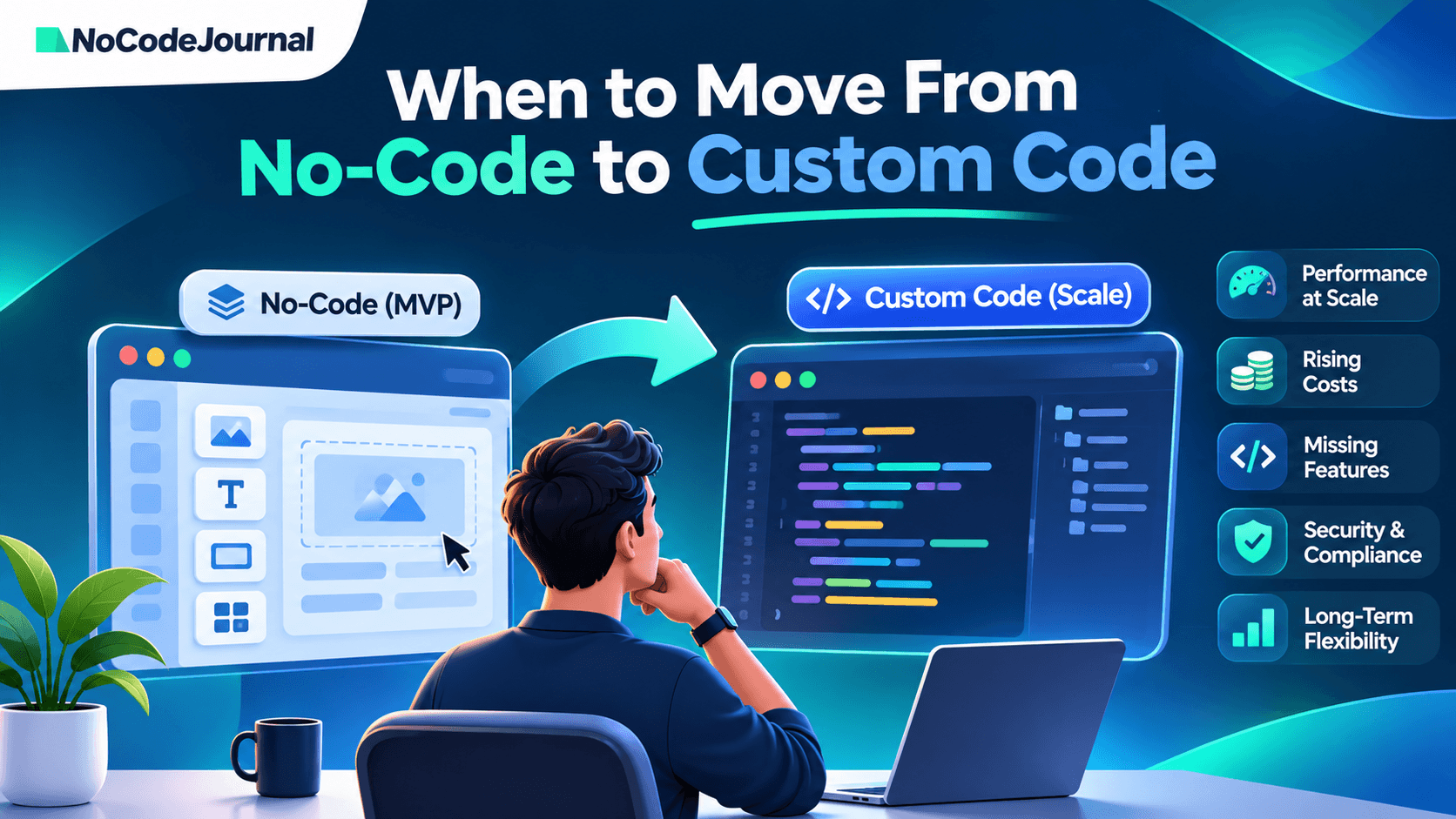
Move from no-code to custom code when your platform starts limiting revenue, performance, essential features, security requirements, or future growth. Common warning signs include rising usage costs, slow workflows, limited data portability, and technical requirements your builder cannot support. A complete rebuild is not always necessary. Many startups benefit from a hybrid approach, keeping their no-code interface while moving critical business logic and data into custom systems.
Disclosure: NoCodeJournal is owned and operated by DSHG Sonic. Our editorial recommendations prioritize practical technical considerations over promoting a particular development approach.
No-code platforms such as Bubble, Softr, Glide, and FlutterFlow have made it easier for founders to turn ideas into working products. Without hiring a full engineering team, startups can launch MVPs, test demand, collect feedback, and find their first customers.
But building a successful prototype and operating a growing software business are different challenges.
A platform that worked perfectly for your first customers may struggle with complex business rules, integration requirements, or growing workloads.
The difficult question is knowing whether to optimize your existing application, introduce custom components, or rebuild the product entirely.
This guide explains how to recognize those turning points and make a migration decision without unnecessarily disrupting your business.
When Does a Startup Outgrow No-Code? 8 Warning Signs
Not every platform limitation requires custom development. The strongest signals appear when technical constraints begin affecting customer experience, business operations, or important growth opportunities.
Use the following checklist to assess your application.
1. Your Application Becomes Slow Under Real User Load
Your MVP may perform well during testing but become noticeably slower when more customers use it simultaneously.
Common symptoms include delayed dashboard loading, slow database queries, lengthy workflows, and timeouts during important transactions.
Before assuming the platform cannot scale, investigate inefficient searches, excessive database requests, unnecessary automations, and poorly designed workflows.
For example, Bubble provides workload optimization guidance that can help developers improve resource usage.
Consider custom development when: Performance problems remain after reasonable optimization and prevent customers from completing essential tasks.
2. Usage-Based Costs Grow Faster Than Business Value
Many no-code platforms use subscription tiers, resource allowances, or usage-based billing.
As your application grows, background workflows, database operations, integrations, and traffic may increase operating expenses.
Higher costs alone do not justify a rebuild. A growing product should naturally consume more resources.
The more important question is whether your infrastructure costs remain sustainable relative to customer value and revenue.
Consider custom development when: You cannot achieve acceptable operating efficiency through optimization or available platform options.
3. Essential Features Require Constant Workarounds
No-code platforms simplify development by providing predefined components and workflows.
That convenience can become restrictive when your product needs unusually complex calculations, advanced integrations, specialized interfaces, or features unavailable through the platform.
Imagine building a subscription application that requires complex usage entitlements, custom billing events, and integrations with multiple external services.
If every improvement requires another plugin or fragile workaround, development becomes harder to maintain.
Consider custom development when: A platform limitation repeatedly prevents you from delivering features customers genuinely need.
4. Security and Compliance Requirements Become More Demanding
Startups serving larger businesses or regulated industries may face increasingly detailed security reviews.
Customers might request evidence of access controls, audit logging, encryption, data retention policies, incident response procedures, or SOC 2-related controls.
Using custom code does not automatically make an application secure or compliant. Equally, using a no-code platform does not automatically prevent a business from meeting security requirements.
What matters is whether the complete system can support the controls your customers and applicable regulations require.
Consider custom development when: You cannot implement or demonstrate essential controls using the current platform and its available integrations.
5. Investors or Enterprise Customers Request Technical Due Diligence
A working MVP demonstrates that customers can use your product. Technical due diligence examines whether the product can continue growing safely and reliably.
Investors, potential acquirers, or enterprise customers may ask about architecture, maintainability, business continuity, data ownership, platform dependencies, and disaster recovery.
Vendor dependence is not automatically a problem. However, founders should understand what happens if a provider changes its product, service terms, or supported features.
Consider custom development when: Your architecture creates material business risks that cannot reasonably be addressed within the existing platform.
6. Your Engineering Team Cannot Work Effectively in the Builder
No-code often helps founders launch without dedicated developers.
Later, the startup may hire engineers who need to implement custom functionality, automate testing, manage deployments, or work within standard development workflows.
Some visual builders support code export or developer integrations. Others require engineers to work largely within proprietary tooling.
For example, FlutterFlow Studio supports source-code downloads on eligible paid plans. Bubble does not provide an equivalent export of a runnable application.
Consider custom development when: The development environment creates persistent bottlenecks that prevent the team from delivering and maintaining product improvements.
7. Data Export and Vendor Lock-In Create Business Risk
Your customer records, payment history, application logic, and operational data become increasingly valuable as the business grows.
Before choosing a migration strategy, investigate exactly what your platform allows you to export.
There is an important distinction between exporting database records and exporting the application itself.
Bubble's official documentation explains that user-created data can be exported, but Bubble applications cannot be exported as independently runnable source code.
A migration may therefore require rebuilding the application logic while transferring data separately.
Consider custom development when: Limited portability creates an unacceptable long-term dependency or prevents necessary integrations and infrastructure changes.
8. Reliability Problems Begin Affecting Customers
As a startup becomes operationally important to customers, its tolerance for failures decreases.
Recurring workflow errors, failed integrations, unreliable background jobs, and insufficient monitoring can affect customer trust.
Some problems can be solved with better architecture inside the existing platform. Others may require custom services, more detailed monitoring, or greater infrastructure control.
Consider custom development when: Reliability issues cannot be addressed adequately with the capabilities and operational controls available.
Should You Stay on No-Code, Go Hybrid, or Fully Rebuild?
Identifying a limitation is only the first step.
The next decision is choosing the least disruptive solution that addresses the underlying problem.
There are three practical approaches.
| Approach | When to Pick | Main Risk | Relative Timeline |
|---|---|---|---|
| Stay and optimize | Problems involve inefficient workflows, database queries, or configuration | Platform limitations may remain | Usually shortest |
| Hybrid architecture | The interface works, but core logic, integrations, or data need greater control | Additional integration and synchronization complexity | Moderate, depending on scope |
| Full custom rebuild | Multiple fundamental platform limitations affect the product | Migration errors, broader testing needs, and business disruption | Usually longest |
These timelines are relative assessments, not guaranteed project schedules.
Option 1: Stay on No-Code and Optimize
Before replacing the platform, investigate whether your problems have simpler solutions.
Review database queries, workflow efficiency, unnecessary integrations, page loading, and resource consumption.
A product experiencing slow performance because of inefficient data searches may improve significantly without migrating.
Staying also makes sense when the application supports the product roadmap, meets customer requirements, and remains maintainable.
Best fit: Early-growth startups with manageable technical limitations.
Option 2: Build a Hybrid No-Code and Custom Architecture
A hybrid approach keeps useful no-code components while replacing specific limitations with custom development.
For example, a founder might retain an existing interface while moving complex calculations, authentication-sensitive services, or core business logic to a custom backend.
The frontend communicates with these services through supported APIs.
This approach can preserve familiar customer workflows while giving developers more control over important operations.
However, hybrid architecture introduces its own responsibilities, including authentication, error handling, monitoring, data synchronization, and API security.
It is not automatically easier than staying on one platform.
Best fit: Startups whose existing interface remains useful but whose core systems require more flexibility.
Option 3: Rebuild the Application With Custom Code
A complete rebuild may be appropriate when too many foundational features depend on unsupported behavior or difficult workarounds.
This approach gives engineers more direct control over application architecture, deployment, testing, and integrations.
But greater control comes with increased responsibility.
The team must maintain application security, infrastructure, observability, technical documentation, and deployment processes.
A rebuild should therefore be based on clear business requirements rather than an assumption that custom software is always superior.
Best fit: Products with substantial architectural limitations and a clearly defined need for an independently maintained software system.