What Is AppGyver, and Is It Still Available in 2026?
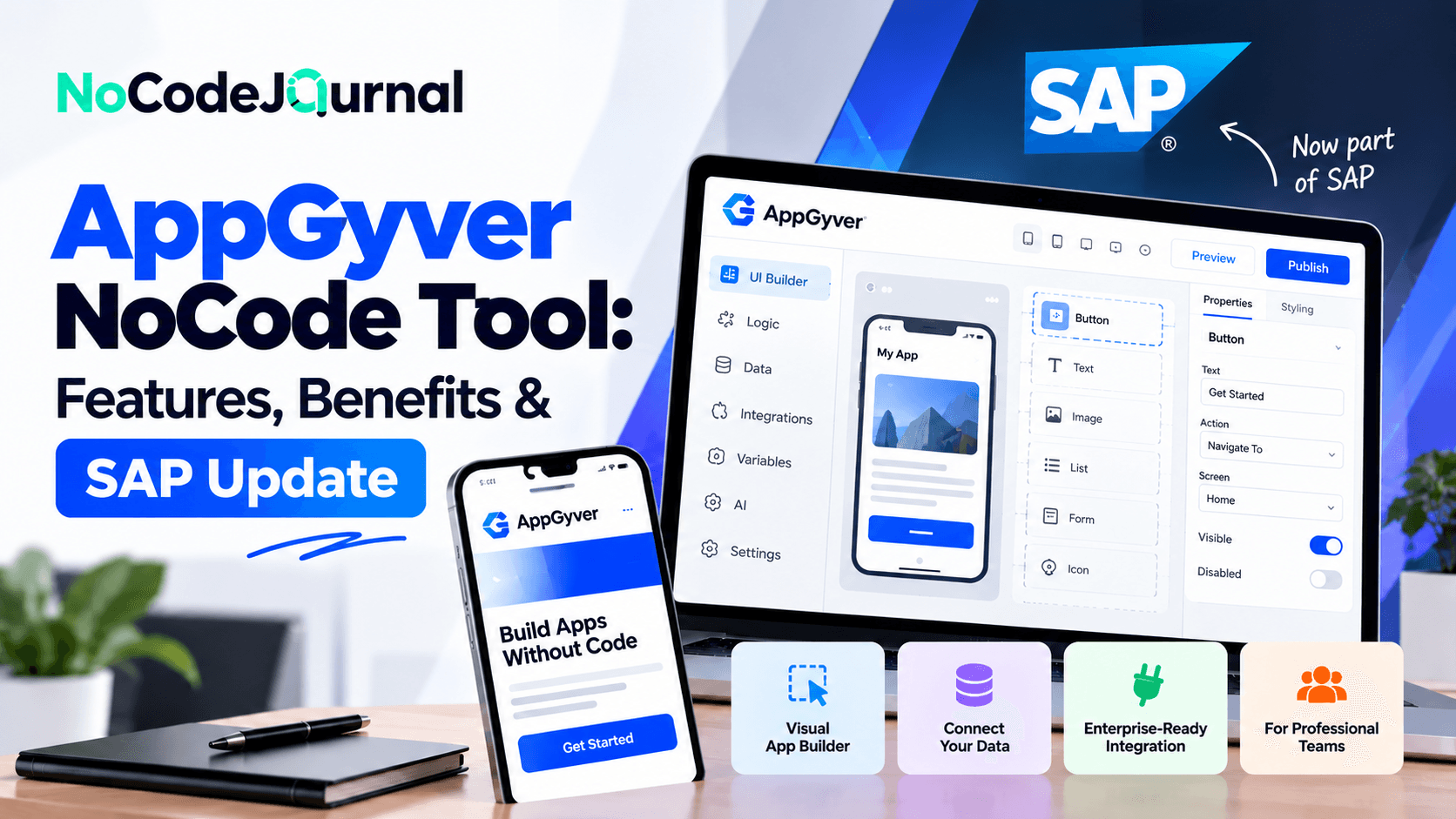
AppGyver was a no-code application development platform that allowed users to build web and mobile applications using drag-and-drop interfaces, visual logic, and API integrations without traditional programming. After SAP acquired AppGyver in 2021, its technology became part of SAP Build Apps, which was retired as a standalone product on March 23, 2026. Existing customers can continue using SAP Build Apps under their current agreements, while SAP recommends its unified SAP Build platform for new application development projects.
AppGyver and SAP Build Pricing Comparison (October 2026)
|
Tool / Plan
|
Price
|
Best for
|
Key limitations
|
|
AppGyver (original)
|
No longer available independently
|
Understanding historical no-code development
|
Original standalone platform discontinued
|
|
SAP Build Apps
|
Legacy contractual pricing
|
Existing SAP Build Apps customers
|
Retired as a standalone product
|
|
SAP Build Trial
|
Free for 30 days
|
Testing SAP development capabilities
|
Limited trial period and features
|
|
SAP Build Base User
|
$3.46/user/month
|
Employees accessing applications and workflows
|
Does not include full developer capabilities
|
|
SAP Build Developer
|
$46/user/month
|
Building and deploying enterprise applications
|
Higher licensing cost; runtime may be additional
|
|
SAP Build Enterprise
|
Request a quote
|
Organizations with complex deployment needs
|
Pricing depends on contract and requirements
|
Pricing checked October 16, 2026, in USD, using published US-region SAP pricing. SAP's listed contracts and usage terms apply. The Enterprise row represents quote-based enterprise arrangements rather than a separately verified standard plan.
Should You Use AppGyver or SAP Build in 2026?
For businesses starting new application development projects, SAP Build is the recommended successor to AppGyver and SAP Build Apps. It combines low-code development, workflow automation, application integration, and AI-assisted development within SAP's enterprise ecosystem.
Organizations already using SAP Build Apps can continue operating their existing applications under their current agreements. However, they should review SAP's transition guidance and evaluate future migration requirements before expanding their applications.
For entrepreneurs and smaller teams, it is important to compare SAP Build's licensing, integration requirements, deployment costs, and technical complexity with other no-code development platforms before making a decision.
What Is AppGyver?
AppGyver was a NoCode application development platform that enabled users to create mobile and web applications without manually writing programming code.
The platform provided a visual development environment called Composer Pro.
Users could design interfaces, configure application behavior, connect external data sources, and build workflows using visual components.
Rather than writing code for every interaction, creators could define application behavior through visual logic flows.
For example, someone developing an inventory management application could design product screens, create data-entry forms, and configure buttons for updating stock information.
The platform handled much of the underlying implementation.
AppGyver's Evolution Into SAP Build Apps
SAP acquired AppGyver in 2021 as part of its investment in low-code and NoCode development.
AppGyver's visual development capabilities later became part of SAP Build Apps.
The SAP version expanded the original platform's enterprise capabilities, particularly in areas such as backend development, integration, authentication, and application lifecycle management.
On March 23, 2026, SAP announced that standalone SAP Build Apps would be retired for new adoption.
Existing customers can continue using the product through their current contracts, while new projects are directed toward SAP Build.
SAP explains this transition in its official SAP Build Apps deprecation announcement.
Understanding this history is important because many older AppGyver tutorials describe services and interfaces that are no longer available in their original form.
Why Was AppGyver Popular Among NoCode Developers?
AppGyver attracted attention because it addressed a significant challenge: creating functional applications without becoming an experienced programmer.
Traditional development often involves separate frontend and backend implementation, technical configuration, and deployment processes.
AppGyver simplified several of these activities through visual development.
Its appeal came from combining accessibility with application-building flexibility.
Users could create interfaces, design workflows, and connect data sources within a single development environment.
Benefits That Made AppGyver Stand Out
AppGyver offered several advantages:
-
Visual drag-and-drop application design.
-
Cross-platform application development.
-
Reusable interface components.
-
Logic flows without traditional coding.
-
API and external data integrations.
-
Application preview and testing.
-
Customization through formulas and variables.
These capabilities made the platform interesting to entrepreneurs, business professionals, and developers.
To understand the broader advantages of visual software creation, explore our article on the benefits of NoCode development.
Key Features of AppGyver
Although the original platform is no longer independently available, its features remain useful for understanding modern NoCode development.
Let's explore the capabilities that made AppGyver influential.
1. Drag-and-Drop Application Builder
One of AppGyver's defining features was its visual interface builder.
Instead of writing HTML, CSS, or JavaScript to create an application screen, users could arrange interface components visually.
The platform provided elements such as buttons, input fields, text sections, images, lists, and containers.
Users could customize these components to create application layouts.
Why Visual Development Matters
Imagine a small business owner planning to build an appointment-booking application.
The application might need a homepage, service listings, booking forms, and confirmation screens.
Using a visual builder, the owner could arrange the required components without manually programming every interface element.
This reduces the initial technical barrier.
Visual development also makes it easier to experiment with different designs.
Users can modify layouts, adjust spacing, and test interface changes before investing in more advanced functionality.
2. Cross-Platform Application Development
AppGyver supported the creation of applications for web and mobile environments.
This was especially attractive to businesses seeking to reach users across different devices.
Traditionally, creating separate Android, iOS, and web applications can require different development frameworks and additional engineering effort.
AppGyver's approach allowed developers to reuse substantial portions of their visual development work.
Practical Business Example
Consider a service company that wants employees to manage customer requests from their smartphones.
The same organization might also need a web interface for administrators.
A cross-platform development approach can simplify the creation of experiences for these different users.
However, interface design and testing remain important.
An application that works effectively on desktop screens may require adjustments for smaller mobile devices.
Cross-platform tools reduce duplicated work but don't eliminate platform-specific considerations.
3. Visual Logic Flows
Application interfaces need behavior.
A button might save information, a form might validate user input, or a screen might display records retrieved from a database.
In traditional development, programmers implement these interactions through code.
AppGyver provided a visual logic editor that allowed users to configure application behavior through connected logic components.
How Visual Logic Works
Imagine an application containing a customer registration form.
When someone submits the form, the application should validate the information and save it.
A visual logic flow could represent these steps:
-
The user selects Submit.
-
The application checks required fields.
-
The information is prepared for processing.
-
The data is sent to a connected service.
-
A success or error message appears.
This visual structure makes application behavior easier to understand for users without extensive programming experience.
However, designing complex logic still requires careful planning.
Visual programming simplifies syntax, but developers must still understand conditions, data flow, and error handling.
4. API and External Data Integrations
Most useful business applications need access to information.
An inventory application might retrieve product records.
A customer portal might display account information.
A booking application might connect to a scheduling system.
AppGyver supported integration with external data sources through APIs.
Understanding API Connections
An application programming interface, or API, allows different software systems to exchange information.
For example, an application can use an API to retrieve customer records from a backend database.
AppGyver allowed developers to configure supported data connections and use the retrieved information within application screens.
This made it possible to create more dynamic applications rather than relying entirely on static content.
Why Integrations Matter
Businesses often already use software for customer management, accounting, scheduling, and communications.
Connecting new applications to existing systems can reduce manual data entry and improve information availability.
However, integrations must be configured securely.
Authentication, permissions, and sensitive data handling remain important regardless of the development platform.
5. Custom Formulas and Data Transformation
Applications frequently need to manipulate information before displaying or storing it.
For example, an application might calculate a total price, format a date, filter records, or determine which message to display.
AppGyver offered formulas that supported these activities.
Example: Building a Simple Calculator
Imagine creating an application for a small delivery service.
The application needs to calculate delivery charges based on distance and selected services.
Instead of implementing the calculation through a traditional programming language, a user could configure formulas and connect them to interface elements.
When someone changes an input, the application can recalculate the result.
Formulas make simple business logic easier to implement.
However, complex calculations still require careful testing to ensure accuracy.
6. Reusable Components and Templates
Repeatedly creating the same interface elements wastes time.
AppGyver supported reusable components that could simplify interface development.
For example, a business application might use the same navigation menu across several screens.
Rather than recreating the menu for every page, a reusable component can help maintain consistency.
Advantages of Reusable Components
Reusable elements provide several benefits.
They reduce repetitive design work, encourage consistent interfaces, and make future updates easier.
Suppose a company decides to change the appearance of its navigation system.
A reusable design approach can make applying the change more manageable.
Modern NoCode and low-code platforms continue emphasizing component reuse because it supports faster development and better maintainability.
7. Application Preview and Testing
Testing is an essential part of software development.
Even visually created applications can contain errors involving navigation, calculations, permissions, and data connections.
AppGyver included application preview capabilities that helped users inspect and test their work.
Why Testing Matters
Imagine an entrepreneur building an appointment-booking application.
The interface may look attractive, but users could encounter problems when submitting forms or viewing appointment details.
Testing helps identify these issues before customers depend on the application.
Important checks include:
-
Navigation between screens.
-
Form validation.
-
Data retrieval and saving.
-
Mobile responsiveness.
-
Error messages.
-
Authentication and permissions.
-
Application performance.
NoCode development makes certain tasks easier, but quality assurance remains necessary.
8. Backend Capabilities Through SAP Build Apps
The transition from AppGyver to SAP Build Apps introduced expanded backend functionality.
SAP Build Apps included capabilities for creating data entities and application logic using visual cloud functions.
These features allowed users to develop applications with their own backend functionality rather than relying entirely on external services.
What Are Visual Cloud Functions?
Visual cloud functions enabled users to configure backend logic through visual tools.
For example, developers could define data entities and create operations for storing or processing information.
This extended the platform beyond frontend development.
It also created opportunities for business users and professional developers to collaborate on more complete applications.
SAP's official SAP Build Apps documentation describes the visual interface, backend, and integration capabilities of the product.
Because standalone SAP Build Apps is now retired for new adoption, this documentation is most relevant to existing customers and readers studying the platform's evolution.
9. Enterprise Integration and Governance
SAP's involvement brought a stronger focus on enterprise application requirements.
Larger organizations often need applications that connect with existing business systems while maintaining appropriate security and administrative controls.
SAP Build Apps supported integration with SAP systems through SAP Business Technology Platform services.
It also provided features for authentication, data connections, and project collaboration.
Why Enterprise Governance Matters
Imagine a company developing applications for employees across several departments.
Different users may need different levels of access.
A sales representative might require customer information, while a finance manager needs access to billing records.
Enterprise platforms must support clear permissions and appropriate governance.
Visual development doesn't remove the need for security policies.
Instead, successful organizations combine accessible development tools with centralized oversight.
10. Collaboration Between Business Users and Developers
Another important aspect of AppGyver's evolution was the growing emphasis on collaborative application development.
Business professionals often understand operational challenges better than external development teams.
Developers, meanwhile, bring technical expertise in architecture, security, and integrations.
NoCode and low-code platforms can help connect these groups.
A Collaboration Example
Consider a logistics company developing an internal delivery-tracking system.
Operations managers understand how delivery assignments and status updates should work.
Developers understand how to connect databases and ensure reliable application performance.
Through a visual development approach, business users can participate in designing workflows and reviewing functionality.
Developers can then handle complex technical requirements.
This approach can reduce misunderstandings and improve the relevance of the final application.
What Types of Applications Could You Build With AppGyver?
AppGyver supported a variety of application categories.
Inventory Management Applications
Businesses could create interfaces for reviewing products, monitoring stock levels, and updating records through connected data sources.
Appointment-Booking Applications
Service providers could develop booking screens, customer forms, and appointment management interfaces.
Employee Management Tools
Organizations could create applications for collecting employee information, tracking requests, and organizing selected internal processes.
Customer Portals
Businesses could build interfaces where customers viewed information, submitted requests, and interacted with supported services.
Project Management Applications
Teams could create task lists, progress trackers, and project dashboards.
Startup Prototypes
Entrepreneurs could experiment with early product concepts before committing to extensive custom development.
If your main goal is creating a website rather than a complex application, our guide on how to build your dream website without coding introduces simpler website-building options.
How AppGyver Compared With Traditional Development
Traditional application development provides extensive flexibility but generally requires programming experience.
AppGyver focused on reducing the amount of manual coding needed for common application tasks.
| Feature |
Traditional Development |
AppGyver |
| Interface creation |
Custom code or frameworks |
Visual drag-and-drop builder |
| Application logic |
Programming languages |
Visual logic flows |
| Data connections |
Code-based integrations |
Configurable API connections |
| Cross-platform support |
Depends on framework |
Web and mobile development |
| Customization |
Extensive code-level control |
Visual components and formulas |
| Learning requirements |
Programming knowledge |
Visual logic and data concepts |
| Current availability |
Widely available |
Original product discontinued |
Although AppGyver simplified many activities, traditional development remained valuable for specialized requirements.
The right approach always depends on project complexity, performance expectations, security, and maintainability.
AppGyver vs. Modern NoCode Alternatives
With AppGyver no longer offered as a standalone product, new users should evaluate currently available platforms.
SAP Build
SAP Build is the recommended direction for organizations working within SAP's development ecosystem.
It combines application development, process automation, and business site creation with low-code and code-first capabilities.
Bubble
Bubble provides visual development capabilities for creating interactive web applications.
It can be useful for startup prototypes, marketplaces, and database-driven products.
Glide
Glide focuses on creating applications from structured data.
It's often suitable for internal tools, directories, and operational dashboards.
FlutterFlow
FlutterFlow offers a visual development environment for building applications, particularly those based on Flutter.
It provides more technical flexibility than some beginner-focused NoCode builders.
Retool
Retool focuses on internal applications, data connections, and developer-oriented workflows.
For a deeper comparison of visual development approaches, read our article on Retool's NoCode and low-code capabilities.
What Happened to AppGyver in 2026?
AppGyver's product history is important for anyone considering older tutorials or existing applications.
The platform underwent several major changes.
2021: SAP acquired AppGyver.
2022–2023: AppGyver's technology became part of SAP Build Apps, with expanded enterprise and backend functionality.
March 23, 2026: SAP retired standalone SAP Build Apps for new adoption.
SAP confirmed that existing customers would retain access, support, and maintenance through their current contracts.
The company also announced that future development efforts would focus on its unified SAP Build offering.
Can Existing AppGyver Applications Be Migrated?
Migration requires careful planning.
SAP has indicated that existing standalone SAP Build Apps projects cannot simply be imported into the successor SAP Build offering.
In many cases, applications must be recreated using supported development tools.
For certain backend data entities, exporting data may help with reconstruction.
Developers should therefore review application dependencies, data structures, and deployment requirements before planning a transition.
SAP explains its direction in SAP Build Apps – The Path Forward.
Should You Use AppGyver for a New Project?
For new projects in 2026, AppGyver is not a practical standalone platform choice.
The original AppGyver environment is no longer independently available, and standalone SAP Build Apps has been retired for new adoption.
Instead, businesses should select a currently supported platform.
If your organization already uses SAP products, evaluate the unified SAP Build offering.
If you're developing a startup MVP, consider an actively maintained NoCode or low-code platform that matches your application's requirements.
If your project primarily involves dashboards, forms, and structured business data, a database-oriented platform may be more appropriate.
For example, our guide to Stackby as a NoCode tool explains how spreadsheet-style databases can support internal business workflows.
The important lesson is to evaluate long-term platform support before investing in application development.
Lessons AppGyver Offers Modern NoCode Developers
Although AppGyver's original product lifecycle has ended, its approach offers valuable lessons.
Visual Development Can Reduce Technical Barriers
Users can create functional interfaces without learning every detail of traditional frontend programming.
NoCode Still Requires Logical Thinking
Building reliable applications involves understanding data relationships, conditions, and user interactions.
Integrations Increase Application Value
Connecting visual applications to existing systems helps organizations create useful business solutions.
Platform Stability Matters
A tool's features are only one part of the decision.
Long-term support, migration options, and vendor strategy should also influence platform selection.
Testing and Security Remain Essential
Visual development simplifies implementation but doesn't automatically guarantee secure or reliable software.
These lessons apply across today's NoCode ecosystem.
AppGyver and the Future of NoCode Development
NoCode technology continues evolving beyond the original drag-and-drop application builder model.
Modern platforms increasingly combine visual development, traditional code extensibility, workflow automation, and artificial intelligence.
AI-assisted development can help users generate initial application structures from natural-language descriptions.
Low-code environments allow developers to add more specialized functionality when visual components aren't sufficient.
Enterprise platforms are also placing greater emphasis on governance, security, and integration.
AppGyver helped demonstrate that useful applications could be developed through visual logic and reusable components.
Its evolution into SAP's broader development ecosystem illustrates how NoCode technology is becoming part of larger software creation platforms.
For entrepreneurs who build applications to attract and serve customers, our guide on building a marketing funnel without code explores how visual tools can support the customer acquisition side of a digital product.
Conclusion: Is AppGyver Still Relevant?
AppGyver played an important role in making application development more accessible.
Its visual builder, logic flows, data integrations, formulas, and cross-platform capabilities demonstrated how sophisticated software could be created with less manual coding.
Following SAP's acquisition, its technology evolved into SAP Build Apps and gained additional enterprise-focused functionality.
However, the standalone platform has now reached the end of its product lifecycle for new adoption.
For existing customers, the priority is understanding support commitments and planning a suitable migration strategy.
For new users, the better approach is to explore currently supported alternatives such as SAP Build, Bubble, Glide, FlutterFlow, or Retool.
AppGyver's lasting contribution is the idea that application development shouldn't be limited to people who know how to code.
The platform may have changed, but the movement it helped advance continues to create new opportunities for entrepreneurs, businesses, and digital creators.
Frequently Asked Questions
What is AppGyver?
AppGyver was a NoCode application development platform that allowed users to build web and mobile applications through visual tools, logic flows, and data integrations.
Is AppGyver still available in 2026?
The original AppGyver platform is no longer available as a standalone product. Its successor, SAP Build Apps, was retired for new adoption on March 23, 2026.
What replaced AppGyver?
AppGyver evolved into SAP Build Apps. SAP now recommends its unified SAP Build offering for new application development projects.
Was AppGyver free?
AppGyver historically offered a free Community Edition. However, that original offering is no longer independently available, and current SAP products have different licensing arrangements.
Can AppGyver build mobile applications?
Historically, yes. AppGyver supported applications for mobile and web environments.
Do I need coding skills to use AppGyver?
AppGyver was designed to reduce the need for traditional programming. However, users still needed to understand application logic, data management, and integrations for more complex projects.
Can I migrate an existing AppGyver application to SAP Build?
There is no general one-click import path from standalone SAP Build Apps into the successor SAP Build offering. Existing projects may require redevelopment.
What are the best AppGyver alternatives?
Potential alternatives include SAP Build, Bubble, Glide, FlutterFlow, and Retool. The right option depends on the project's technical requirements and intended users.
Is NoCode development suitable for business applications?
Yes. NoCode platforms can support internal tools, customer portals, workflows, and application prototypes when their capabilities match business requirements.
Should beginners learn AppGyver today?
Beginners are better served by learning a currently maintained platform. AppGyver remains useful as a historical example of visual application development.