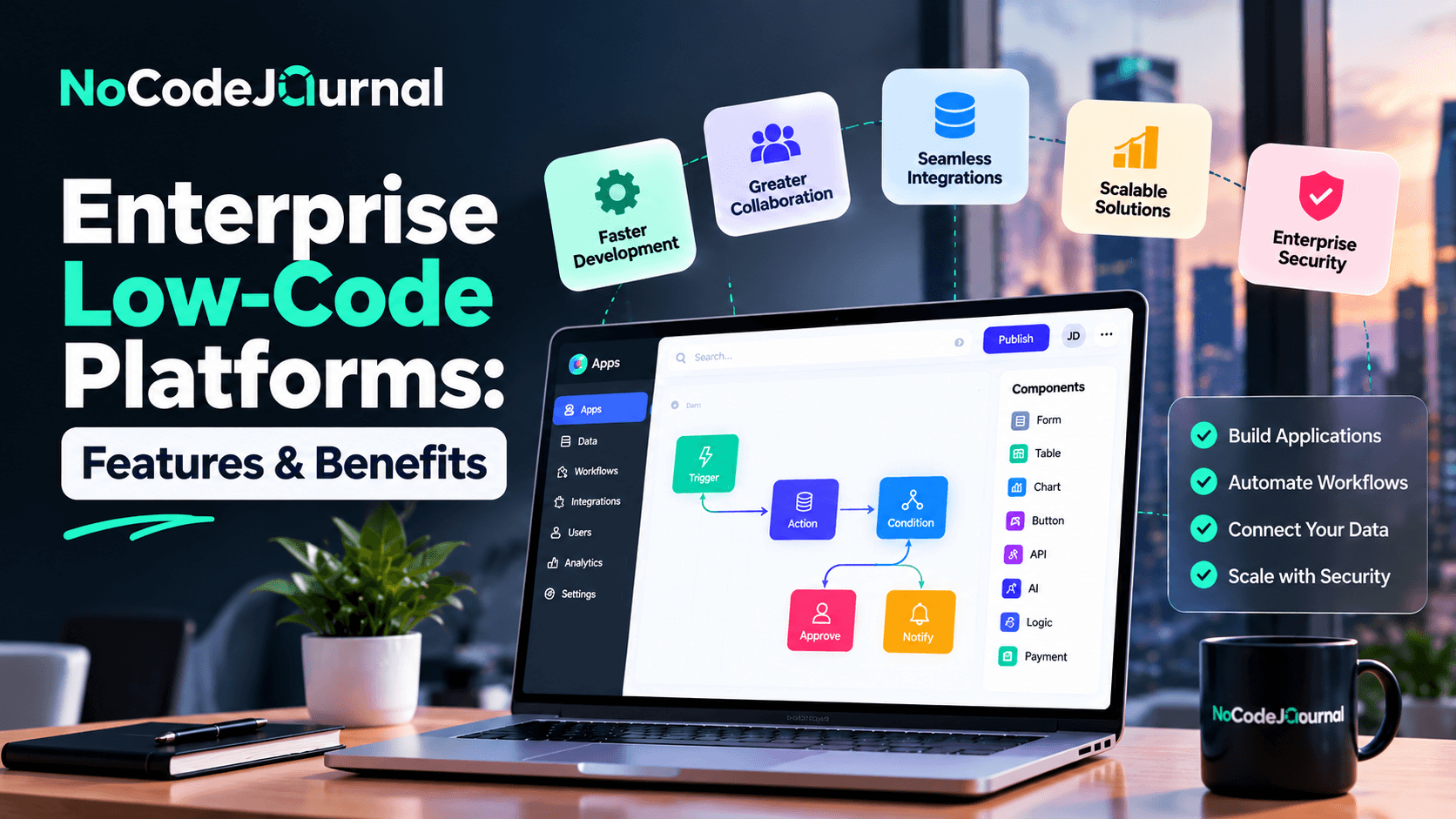
Modern enterprises face increasing pressure to develop applications faster, streamline business operations, and respond to changing customer demands.
However, traditional software development can be expensive, time-consuming, and heavily dependent on specialized development teams.
Large organizations must also consider complex requirements such as security, system integrations, regulatory compliance, and application scalability.
This is where enterprise low-code application platforms are transforming software development.
These platforms allow organizations to build applications using visual tools, reusable components, workflow automation, and minimal manual coding.
Instead of developing every feature from scratch, business users and professional developers can collaborate to create applications more efficiently.
But how do enterprise low-code platforms work, and what makes them different from ordinary NoCode tools?
In this guide, we'll explore their essential features, benefits, leading platforms, practical use cases, and the factors businesses should consider before adoption.
What Are Enterprise Low-Code Application Platforms?
Enterprise low-code application platforms are software development environments that allow organizations to design, build, deploy, and manage business applications using visual development tools and limited custom programming.
They typically provide drag-and-drop interfaces, reusable components, database connectivity, workflow automation, and application management capabilities.
Unlike simple website builders, enterprise low-code platforms are designed to support more complex business requirements.
These can include large user populations, multiple departments, sensitive data, legacy systems, and sophisticated approval processes.
For example, a manufacturing company might use a low-code platform to create an inventory management application connected to its existing enterprise resource planning system.
Employees could access relevant information through an intuitive interface, while IT teams maintain control over integrations, permissions, and security.
Low-Code vs. No-Code Development
Low-code and NoCode technologies share the goal of making software development more accessible.
However, they differ in technical flexibility.
NoCode platforms focus on allowing users to build applications without writing traditional programming code.
Low-code platforms provide visual development capabilities while allowing professional developers to extend applications through custom code.
This makes low-code particularly useful for organizations with complex integration or customization requirements.
For a broader introduction to visual development, explore our article on the benefits of NoCode development.
Why Are Enterprises Adopting Low-Code Platforms?
Large organizations regularly encounter software development bottlenecks.
Business departments may need new tools, while IT teams already have extensive backlogs of maintenance, security, and development tasks.
Traditional development can struggle to deliver every requested application quickly.
Low-code platforms offer an alternative by simplifying common development activities.
Faster Digital Transformation
Organizations can modernize selected workflows without replacing every existing system.
Reduced Development Backlogs
Business teams can participate in creating suitable applications, allowing developers to focus on more complex engineering challenges.
Improved Business Agility
Enterprises can introduce new processes and modify applications when requirements change.
Better Collaboration
Visual development environments make it easier for business specialists and technical teams to work together.
More Efficient Resource Allocation
Reusable components and automated development processes can reduce repetitive implementation work.
These advantages explain why low-code development has become relevant to enterprise technology strategies.
1. Visual Application Development
One of the most important features of enterprise low-code platforms is visual application development.
Instead of manually writing every interface component, developers can create layouts using visual editors.
These environments often include ready-made elements such as forms, buttons, dashboards, menus, and data tables.
How Visual Development Helps Enterprises
Imagine an insurance company that needs an internal claims-management application.
The application must display customer information, claim statuses, supporting documents, and approval actions.
Using a visual builder, a development team can create initial screens and configure common functionality more quickly.
Business stakeholders can also review the interface and provide feedback before deployment.
This collaborative process may reduce misunderstandings and unnecessary revisions.
However, visual development doesn't eliminate the need for proper application design and testing.
2. Enterprise-Grade Security and Governance
Security is essential for enterprise applications.
Large organizations frequently manage financial records, employee information, customer data, and confidential operational details.
A low-code platform must provide the controls needed to protect this information.
Important capabilities include:
-
Role-based access control.
-
Single sign-on integration.
-
Multifactor authentication.
-
Encryption.
-
Audit logging.
-
Data loss prevention policies.
-
Environment management.
-
Administrative monitoring.
Why Governance Matters
Imagine a financial organization allowing multiple departments to create internal applications.
Without centralized oversight, employees could unintentionally connect sensitive data to unauthorized services.
Governance policies help organizations control which systems can exchange information and who can access specific resources.
Microsoft's official security and governance considerations explain how Power Platform administrators can manage environments, security, monitoring, and organizational controls.
The goal isn't to prevent innovation.
It's to enable business users to develop solutions within appropriate security boundaries.
3. Seamless Integration With Existing Systems
Enterprises rarely operate using only one application.
They depend on combinations of CRM platforms, ERP systems, databases, accounting applications, and specialized industry software.
A valuable low-code platform should connect with these existing technologies.
APIs and Prebuilt Connectors
APIs allow applications to exchange information.
Prebuilt connectors can simplify integrations with commonly used services.
For example, a sales application might retrieve customer information from a CRM and display order information from an ERP system.
This allows employees to work with information from multiple sources through one interface.
Why Integration Capabilities Matter
Disconnected systems can create duplicated work and inconsistent information.
Integrations help organizations develop workflows that cross departmental boundaries.
However, companies should evaluate authentication requirements, API limits, data synchronization, and reliability before deploying integrations.
4. Workflow and Business Process Automation
Enterprise operations involve many repetitive activities.
Examples include purchase approvals, employee onboarding, customer service requests, invoice processing, and compliance reporting.
Low-code platforms often provide workflow automation capabilities that simplify these processes.
Example: Automating Purchase Approvals
Consider an organization where employees submit purchase requests through email.
Managers manually review requests, forward approvals, and notify the finance department.
A low-code application could centralize the process.
Employees would submit requests through a form.
The application could route requests to the appropriate manager based on department or amount.
Approved requests could then be forwarded to finance.
The system could also maintain an audit trail of decisions.
This reduces manual coordination and makes the process easier to monitor.
For related ideas, explore our guide on building a marketing funnel without code, which explains how automation supports customer acquisition workflows.
5. Scalability and Performance
Enterprise applications may serve hundreds or thousands of employees.
Some customer-facing systems may support much larger user populations.
A low-code platform must be able to accommodate changing workload requirements.
What Makes an Application Scalable?
Scalability involves several factors.
These include infrastructure capacity, application architecture, database performance, API usage, and resource allocation.
A platform may provide managed cloud infrastructure, but the application must still be designed appropriately.
Example: Scaling an Employee Portal
Imagine a company launching an employee portal for one department.
Initially, the application might serve 100 employees.
Over time, the company decides to roll it out across several locations.
The application must support additional users, increased data volume, and more concurrent requests.
Before deployment, businesses should test expected usage patterns and review platform limits.
6. Reusable Components and Application Templates
Reusable components are an important advantage of modern low-code development.
Instead of repeatedly building the same functionality, teams can use standardized components across multiple applications.
These might include navigation menus, authentication mechanisms, form layouts, and reporting widgets.
Why Reusability Matters
Consider an enterprise developing ten internal applications.
If each application uses different navigation and design patterns, employees may struggle with inconsistent experiences.
A reusable component library helps maintain visual and functional consistency.
It can also simplify maintenance.
When a shared component requires an update, teams can manage changes through a more standardized process.
Reusable templates also help departments launch new projects with established design and security patterns.
7. Application Lifecycle Management
Enterprise software requires ongoing maintenance.
Applications must be tested, deployed, updated, monitored, and sometimes retired.
Application lifecycle management, commonly known as ALM, helps organizations manage these activities.
Low-code platforms may provide tools for version control, testing environments, deployment pipelines, and change management.
Why ALM Is Essential
Imagine a business-critical application that processes customer orders.
An unexpected update could affect transaction processing.
A structured lifecycle management process allows developers to test changes before deploying them.
It also helps teams document modifications and manage release approvals.
ALM capabilities become especially valuable when multiple departments depend on the same applications.
8. Collaboration Between Business and IT Teams
Business users understand operational problems.
Developers understand how to implement reliable technical solutions.
Enterprise low-code platforms can help these groups collaborate.
Understanding Fusion Teams
A fusion team combines professionals with different areas of expertise.
It might include developers, business analysts, designers, and operational specialists.
Business users contribute knowledge about existing processes.
Developers provide technical guidance, integrations, and security expertise.
Microsoft's documentation on enterprise low-code application development explains how multidisciplinary teams can use Power Apps to collaborate on business applications.
This model helps organizations reduce the gap between business requirements and technical implementation.
9. AI-Assisted Application Development
Artificial intelligence is becoming part of enterprise low-code platforms.
AI-assisted development tools can help users generate application structures, create workflows, suggest formulas, and describe functionality through natural-language instructions.
How AI Supports Development
Imagine a project manager describing an application requirement:
"Create a dashboard for tracking employee assignments, project deadlines, and outstanding approvals."
An AI-assisted platform may generate an initial application structure based on this description.
The team can then modify the interface and connect relevant data sources.
AI assistance may accelerate prototyping, but generated applications still require review.
Organizations must validate business logic, security settings, and application behavior before production use.
10. Cross-Platform Application Development
Employees use different devices to complete their work.
Office employees may access applications through desktop computers, while field employees depend on smartphones or tablets.
Enterprise low-code platforms often support responsive applications or dedicated mobile development capabilities.
Supporting Mobile Employees
Consider a maintenance company whose technicians work across several sites.
A mobile application could allow employees to view service requests, upload photographs, and update job statuses.
Managers could review the same information through a desktop dashboard.
Cross-platform development helps organizations create connected experiences without necessarily developing separate systems for every device.
However, mobile interfaces still require testing for performance, accessibility, and usability.
Best Enterprise Low-Code Application Platforms
Several established platforms offer low-code capabilities for enterprise development.
The best option depends on an organization's existing systems, technical requirements, and business objectives.
1. Microsoft Power Apps
Microsoft Power Apps is part of Microsoft Power Platform.
It allows organizations to create business applications through visual development tools.
Power Apps integrates with Microsoft services and supports numerous third-party connectors.
Its capabilities include canvas apps, model-driven apps, Dataverse, and extensibility through custom components.
Best for: Organizations already using Microsoft 365, Dynamics 365, and related Microsoft technologies.
2. Mendix
Mendix is an enterprise low-code development platform focused on visual application development, collaboration, integrations, and application lifecycle management.
It supports web and mobile applications and provides options for extending functionality through custom code.
Mendix also supports different deployment environments.
Best for: Enterprises developing customized applications with complex requirements.
3. OutSystems
OutSystems offers enterprise application development capabilities, including visual development, reusable components, integrations, and application management.
Its current platform also emphasizes AI-assisted application development and agentic systems.
Best for: Organizations developing complex, business-critical applications and modernizing existing systems.
4. ServiceNow App Engine
ServiceNow App Engine allows organizations to create applications and workflows within the ServiceNow ecosystem.
It's particularly relevant for enterprises using ServiceNow for IT service management and operational processes.
Best for: IT operations, service workflows, and organizations already using ServiceNow.
5. Salesforce Platform
Salesforce provides low-code tools for developing applications connected to its CRM and business data.
Features include visual application development, workflow automation, and custom data objects.
Best for: Enterprises building sales, customer service, and CRM-related applications.
6. Appian
Appian combines low-code application development with process automation and workflow capabilities.
It focuses on helping organizations coordinate complex business processes.
Best for: Enterprises with structured approval, case management, and process automation requirements.
Comparing Enterprise Low-Code Platforms
| Platform | Primary Strength | Suitable Use Case |
|---|---|---|
| Microsoft Power Apps | Microsoft ecosystem integration | Internal business applications |
| Mendix | Flexible enterprise development | Complex custom applications |
| OutSystems | Application modernization and AI | Business-critical systems |
| ServiceNow App Engine | Service workflow integration | IT and employee operations |
| Salesforce Platform | CRM-centered development | Sales and customer service |
| Appian | Process orchestration | Case management and approvals |
No single platform is universally best.
Organizations should evaluate actual requirements, integration complexity, licensing, security, and deployment options.
For additional insight into customizable internal tools, read our article on Retool's NoCode and low-code capabilities.
Enterprise Low-Code Platform Pricing
Enterprise low-code platform pricing varies considerably.
Some providers offer limited free development environments or trials.
Production use often requires paid subscriptions based on users, applications, environments, consumption, or enterprise licensing agreements.
Costs can include:
-
Platform subscriptions.
-
Premium connectors.
-
Database storage.
-
Automation usage.
-
Cloud infrastructure.
-
Developer and administrator access.
-
Implementation services.
-
Support and maintenance.
Organizations should calculate the total cost of ownership rather than comparing subscription prices alone.
A platform with lower initial licensing costs may become expensive if it requires extensive customization or additional integrations.
How to Choose the Right Enterprise Low-Code Platform
Selecting an enterprise platform requires a structured evaluation process.
Step 1: Define Business Requirements
Identify the applications and workflows your organization wants to create.
Determine which processes need automation and which systems require integration.
Step 2: Evaluate Existing Infrastructure
Review your current databases, cloud services, CRM systems, and enterprise software.
Platforms that integrate well with existing infrastructure may reduce implementation complexity.
Step 3: Review Security and Compliance
Evaluate authentication, permissions, encryption, audit logging, data residency, and applicable regulatory requirements.
Step 4: Test Scalability
Estimate expected users, data volumes, and transaction requirements.
Test critical workflows under realistic conditions.
Step 5: Understand Licensing
Review current pricing, usage limits, integration costs, and contractual obligations.
Step 6: Run a Pilot Project
Build a small application using realistic business requirements.
Involve both technical and non-technical employees.
Measure development effort, usability, integration performance, and maintenance requirements.
Step 7: Establish Governance
Define who can create applications, manage data connections, deploy updates, and approve production releases.
Clear governance helps organizations scale low-code adoption responsibly.
Challenges of Enterprise Low-Code Adoption
Although low-code platforms provide important advantages, enterprises should be aware of their limitations.
Vendor Lock-In
Applications built using proprietary platforms may be difficult to migrate.
Organizations should examine export capabilities and portability before committing.
Complex Integrations
Legacy systems may require custom connectors or additional middleware.
Security Risks
Uncontrolled application development can create unauthorized data access or inconsistent security practices.
Performance Limitations
Certain workloads may require custom architecture or traditional development.
Technical Debt
Poorly structured visual workflows can become difficult to maintain.
Training Requirements
Business users still need to understand application logic, data structures, and responsible development practices.
These challenges can be reduced through proper planning, training, and governance.
Real-World Enterprise Use Cases
Enterprise low-code development supports many industries and departments.
Healthcare: Administrative scheduling, internal workflows, and operational dashboards.
Financial services: Approval processes, case management, and internal reporting.
Manufacturing: Inventory systems, equipment tracking, and maintenance applications.
Retail: Store operations, employee tools, and supplier coordination.
Human resources: Employee onboarding, leave management, and internal service requests.
Sales and marketing: Lead management, customer data workflows, and reporting dashboards.
Organizations beginning with simpler data-management requirements may also benefit from exploring tools such as Stackby.
Our article on Stackby as a NoCode tool explains how spreadsheet-style databases can support business workflows without extensive development.
The Future of Enterprise Low-Code Development
Enterprise low-code platforms are evolving alongside artificial intelligence, cloud computing, and process automation.
AI-assisted development is becoming increasingly important.
Natural-language tools can help generate interfaces, workflows, and application structures.
Modern platforms are also emphasizing application governance, reusable components, and integration with existing enterprise systems.
Another emerging direction involves AI agents that can assist with operational tasks under organizational controls.
However, enterprises must carefully evaluate security, transparency, and reliability before deploying AI-generated applications or autonomous workflows.
The future of low-code development will likely combine visual development, professional programming, and AI assistance.
Organizations that establish strong governance and development standards will be better positioned to benefit from these capabilities.
Conclusion: Why Enterprise Low-Code Platforms Matter
Enterprise low-code application platforms are changing how organizations create software.
They provide visual development environments, workflow automation, integration capabilities, reusable components, and application management tools.
These capabilities can help enterprises respond to business requirements more quickly while reducing repetitive development work.
However, successful adoption requires more than selecting a popular platform.
Businesses must evaluate security, scalability, integration requirements, total costs, and long-term maintenance.
Platforms such as Microsoft Power Apps, Mendix, OutSystems, ServiceNow App Engine, Salesforce Platform, and Appian offer different strengths for enterprise development.
The greatest advantage of enterprise low-code development is the ability to combine faster application creation with the control and reliability organizations need.
With the right technology and governance strategy, enterprises can create useful digital solutions while maintaining appropriate oversight.
Frequently Asked Questions
What is an enterprise low-code application platform?
An enterprise low-code application platform is a development environment that allows organizations to build and manage applications using visual tools, reusable components, and minimal manual coding.
What are the benefits of enterprise low-code development?
Major benefits include faster application development, workflow automation, improved collaboration, reusable components, and potentially lower development effort.
Which low-code platform is best for enterprises?
The best platform depends on requirements. Microsoft Power Apps, Mendix, OutSystems, ServiceNow App Engine, Salesforce Platform, and Appian are established options serving different business needs.
Are enterprise low-code platforms secure?
They can support enterprise security requirements when properly configured. Organizations should evaluate authentication, permissions, encryption, monitoring, and governance features.
Can low-code platforms replace traditional developers?
No. They reduce repetitive development work but professional developers remain important for complex integrations, security architecture, optimization, and specialized functionality.
What is the difference between enterprise low-code and NoCode platforms?
Enterprise low-code platforms typically combine visual development with custom-code extensibility and centralized governance, while NoCode platforms focus on building solutions without traditional programming.
Can low-code platforms integrate with existing enterprise software?
Yes. Many provide APIs, connectors, and integration tools for connecting with databases, CRM systems, ERP platforms, and other business applications.
What industries use enterprise low-code platforms?
Healthcare, finance, manufacturing, retail, education, logistics, and professional services can all use low-code platforms for suitable business applications.