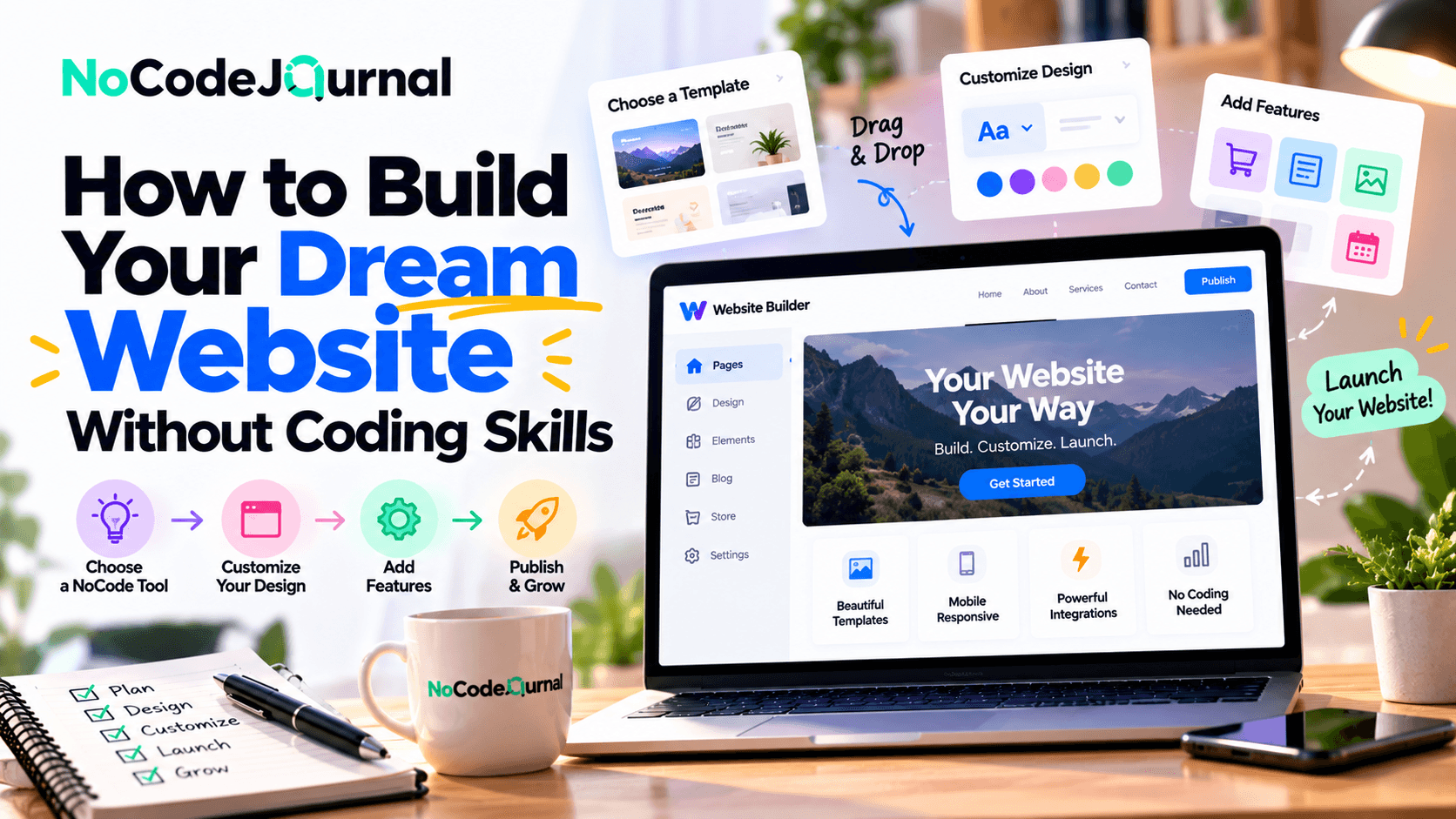
How Can You Build a Website Without Coding Skills in 2026?
You can build a professional website without coding by using no-code website builders such as Wix, Webflow, Squarespace, Framer, or Bubble. These platforms provide visual editors, customizable templates, AI-assisted design tools, and built-in hosting options that simplify website creation for beginners. To get started, choose a platform based on your needs, customize a template or AI-generated design, add essential pages and features, connect a domain, and publish your website.
Best No-Code and AI Website Builders: Pricing and Features (October 2026)
|
Tool
|
Starting price
|
Best for
|
Key limitations
|
|
Wix
|
Free; Light approximately $18/month
|
Beginners and small businesses
|
Free-plan branding; online payments require an eligible upgrade
|
|
Webflow
|
Free; Basic $15/month
|
Professional websites and advanced visual design
|
Basic plan excludes CMS collections
|
|
Squarespace
|
Free trial; paid plans vary
|
Portfolios, blogs, and service businesses
|
Limited advanced customization compared with developer-focused tools
|
|
Framer
|
Free; Basic $10/month
|
Modern landing pages and portfolios
|
Basic plan has page, CMS, and bandwidth limits
|
|
Bubble
|
Free; paid plans vary
|
Interactive web applications and MVPs
|
Steeper learning curve and workload-based usage limits
|
Pricing checked October 16, 2026, in USD. Webflow Basic and Framer Basic figures use annual billing. Wix Light starts at approximately $18/month, depending on the region, billing cycle, and applicable taxes. Check Wix's official pricing page for the latest rates. Prices are approximate and may vary depending on location, billing cycle, taxes, and selected features. Visit each platform's official pricing page for current rates.
Which Website Builder Should You Choose in 2026?
The best no-code website builder depends on your goals, budget, and the complexity of your project.
Wix is a practical choice for beginners and small businesses looking for an easy way to create and manage a professional website. Squarespace works well for portfolios, creative professionals, and businesses that prefer polished templates with integrated content management features.
For users seeking greater design flexibility, Webflow offers advanced visual controls, responsive layouts, and content management capabilities. Framer is particularly useful for modern landing pages, portfolios, and marketing websites.
Businesses planning to build interactive applications with user accounts, databases, or complex workflows can consider Bubble, although it generally requires more time to learn than traditional website builders.
Our recommendation: Start with a platform that supports your essential website features and fits your budget. Test its free plan or trial before upgrading, and compare domain costs, hosting, storage, AI features, e-commerce support, and long-term maintenance requirements.
What Is NoCode Website Development?
NoCode website development is the process of creating websites using visual tools rather than manually writing programming code.
Traditional web development requires knowledge of programming languages, hosting environments, databases, and other technical concepts.
NoCode platforms simplify these requirements through visual editors, prebuilt templates, and drag-and-drop components.
Instead of writing code to create a navigation menu, you can simply select a menu component and place it on your page.
Need a contact form? Add one using the platform's built-in tools.
Want to change your website's appearance? Adjust the colors, fonts, and layout through a visual interface.
Many NoCode platforms also manage hosting, security updates, and technical infrastructure.
This makes website creation more approachable for people without formal development experience.
To better understand the advantages of this approach, explore our article on the benefits of NoCode development.
Why Build a Website Without Coding?
Creating a website without coding offers several important advantages.
1. Lower Development Costs
Hiring professional developers can be expensive, particularly for individuals and small businesses with limited budgets.
NoCode builders often offer affordable subscription plans that include website design tools, hosting, and essential features.
Although premium subscriptions and integrations can increase costs, a simple website may require much less initial investment than custom development.
2. Faster Website Launches
Traditional website development can involve multiple stages of design, programming, testing, and deployment.
NoCode platforms simplify many of these activities.
By using an existing template and customizing its content, you may be able to publish a basic website in a relatively short period.
3. Greater Creative Control
When you build your website visually, you can experiment with different layouts, colors, and content without requesting every change from a developer.
This flexibility makes it easier to refine your website as your ideas evolve.
4. Easier Maintenance
Updating your website shouldn't require advanced technical knowledge.
NoCode platforms generally allow you to change images, edit text, add new pages, and update information through straightforward interfaces.
These advantages make NoCode development particularly useful for entrepreneurs, freelancers, small businesses, and creators.
Step 1: Define Your Website's Purpose
Before selecting a website builder, identify exactly what you want your website to accomplish.
A successful website begins with a clear objective.
Ask yourself:
-
Who is my target audience?
-
What problem does my website solve?
-
What information should visitors find?
-
What action do I want users to take?
-
What features are essential at launch?
For example, a freelance graphic designer may need a portfolio showcasing completed projects.
A restaurant owner might need a website displaying menus, operating hours, and reservation information.
An entrepreneur launching an online business may require product pages, customer accounts, and payment functionality.
Your website's purpose determines its structure, design, and technical requirements.
Create a simple website plan
Begin by listing the main pages your website needs.
A typical business website might include a homepage, an About page, a Services page, a Contact page, and a blog.
You don't need sophisticated software to create your initial plan.
A notebook, spreadsheet, or simple wireframe can help you visualize how visitors will navigate the website.
Starting with a clear structure reduces unnecessary changes later.
Step 2: Choose the Right NoCode Website Builder
Selecting the appropriate platform is one of the most important decisions in your website-building journey.
Different NoCode website builders offer different levels of customization, functionality, and complexity.
Some prioritize simplicity, while others provide advanced design capabilities.
Popular NoCode website builders
Wix
Wix offers a visual website builder with templates, design customization, and business-oriented features.
It's suitable for personal websites, portfolios, and many small business projects.
Webflow
Webflow provides more advanced visual design controls, responsive layouts, and content management features.
It's a useful choice for users who want greater control over how their websites look and behave.
Beginners can explore the official Webflow design basics learning path, which covers website structure, styling, responsive design, content management, and publishing.
Squarespace
Squarespace emphasizes professionally designed templates and integrated website management features.
It can work well for creative professionals, service businesses, and content-focused websites.
Framer
Framer allows users to design and publish visually engaging websites through an interactive design environment.
It's particularly relevant for landing pages, portfolios, and modern marketing websites.
Bubble
Bubble focuses more heavily on developing interactive web applications.
It can be suitable for projects requiring custom workflows, user accounts, and database-driven functionality.
How to select the best platform
Compare website builders based on ease of use, design flexibility, available integrations, mobile responsiveness, hosting costs, and scalability.
Also consider whether you'll need a blog, online store, booking system, or membership functionality.
The best NoCode website builder isn't necessarily the one with the most features.
It's the platform that supports your specific requirements without unnecessary complexity.
Step 3: Choose a Domain Name and Hosting Solution
Your domain name is your website's online address.
For example, a photography business might choose a domain that includes its brand name.
A good domain should be memorable, relevant, and easy to spell.
Avoid unnecessarily long names, confusing abbreviations, and excessive hyphens.
Before purchasing, check that your preferred domain is available and doesn't conflict with an established trademark.
Do NoCode builders include hosting?
Many NoCode website builders provide managed hosting.
This means you may not need to configure servers or purchase a separate hosting service.
However, some platforms require a paid plan to connect a custom domain.
Before subscribing, review the platform's hosting limitations, storage allowances, bandwidth policies, and renewal pricing.
It's also worth checking whether you can export website content if you decide to switch platforms later.
Step 4: Design Your Website Using Templates
Once you've selected your platform, it's time to begin designing.
Most NoCode builders offer professionally designed templates that can be customized for different industries and purposes.
Choosing a suitable template can significantly reduce the time required to create your website.
For example, a fitness coach might select a template featuring service descriptions, testimonials, and appointment-booking sections.
A photographer might prefer a visual portfolio layout featuring large images and project galleries.
Customize your website's appearance
Start by replacing the template's sample content with your own.
Update the website name, logo, images, headings, and navigation menu.
Choose colors that reflect your brand identity.
Use readable fonts and maintain consistent spacing between sections.
Avoid adding unnecessary animations or decorative elements that distract visitors.
Focus on user experience
A successful website should be easy to navigate.
Visitors should understand what your website offers within seconds of arriving.
Use clear headings, logical page structures, and visible calls to action.
For example, a consulting website might feature a prominent "Book a Consultation" button.
An online store might highlight its product categories and shopping options.
Good design isn't only about appearance. It's about helping visitors accomplish their goals.
Step 5: Use AI Tools to Simplify Website Creation
Artificial intelligence has introduced new opportunities for people building websites without coding experience.
AI-powered website builders can help generate layouts, suggest website structures, and produce initial content.
Some tools allow users to describe their desired website through a written prompt.
For example:
"Create a modern website for a fitness trainer with a homepage, training programs, testimonials, and a contact form."
The AI system may generate an initial design based on those instructions.
How AI can help beginners
AI-assisted tools can support several activities.
Content creation: Generate initial drafts for website headlines, service descriptions, and frequently asked questions.
Layout suggestions: Recommend arrangements for website sections and visual components.
Image assistance: Help create or select illustrations that match a website's visual identity.
Design improvements: Suggest typography, color combinations, or page structures.
Workflow creation: Assist with basic forms, integrations, and automated actions where supported.
However, AI-generated websites still require human review.
Check the accuracy of the content, test functionality, and ensure that the design reflects your brand.
AI is most effective when used to accelerate your work rather than replace thoughtful planning.
Step 6: Add Essential Website Features
After completing the basic design, add the functionality your visitors need.
The appropriate features depend on your website's purpose.
Contact forms
Contact forms allow visitors to send inquiries without opening a separate email application.
Most website builders offer ready-made form components.
Keep forms simple and request only necessary information.
Online appointment booking
Service businesses may benefit from booking tools that allow customers to schedule appointments.
Some platforms provide built-in scheduling functionality, while others support third-party integrations.
E-commerce capabilities
If you're planning to sell products, you may need product listings, shopping carts, payment processing, and order notifications.
Choose a platform that supports your expected transaction requirements.
Blog functionality
A blog helps you publish educational content, product updates, and industry insights.
Regularly publishing useful articles can also support your website's organic search strategy.
Marketing automation
You can connect website forms to email marketing and customer management tools.
For example, a visitor who downloads a free guide could receive an automated welcome email.
Our article on building a marketing funnel without code explains how to connect landing pages, lead capture forms, and follow-up campaigns.
Start with the features necessary for your initial launch.
Additional functionality can be introduced as your website grows.
Step 7: Make Your Website Mobile-Friendly
A website that looks attractive on a desktop computer may not work equally well on a smartphone.
Different screen sizes can affect text readability, image positioning, navigation menus, and button accessibility.
Responsive website design allows layouts to adjust to different devices.
Most modern NoCode platforms provide responsive design features, but you should still test the results.
Mobile design best practices
Use readable font sizes and sufficient spacing between interactive elements.
Make navigation menus straightforward.
Avoid oversized images that slow page loading.
Ensure that visitors can complete essential tasks, such as submitting forms or making purchases, on smaller screens.
Preview your website on mobile, tablet, and desktop layouts before publishing.
Test with actual devices when possible.
Step 8: Optimize Your Website for Search Engines
Building a website is only the beginning.
You also need to help potential visitors discover it.
Search engine optimization, commonly known as SEO, improves how search engines understand your website and its content.
Even without programming knowledge, you can implement many important SEO practices.
Research relevant keywords
Identify the words and phrases your target audience uses when searching online.
For example, a local bakery might target searches related to birthday cakes, custom cakes, or its location.
Use relevant keywords naturally within your website's content.
Write clear page titles
Every important page should have a descriptive title that reflects its content.
Avoid using the same title for every page.
Create useful meta descriptions
A meta description summarizes a page's content.
Although Google may generate different search snippets, writing helpful descriptions can improve how clearly your pages are presented.
Optimize headings and images
Use logical heading structures and descriptive image alternative text.
Compress large images where appropriate to improve loading performance.
Create an internal linking strategy
Link relevant pages together so visitors can discover additional information.
For example, a services page might link to a related case study or contact page.
Google's official SEO Starter Guide provides practical guidance on helping search engines crawl, understand, and discover website content.
SEO is a continuing process, so revisit your website as you publish new pages and learn more about your audience.
Step 9: Make Your Website Accessible
Website accessibility ensures that people with different abilities can navigate and use your content.
An accessible website can offer a better experience to a wider range of visitors.
Accessibility considerations include readable text, sufficient color contrast, descriptive image alternatives, keyboard-friendly navigation, and clearly labeled forms.
Avoid relying entirely on color to communicate important information.
For example, an error message should explain the problem rather than displaying only a red border.
The World Wide Web Consortium provides Web Content Accessibility Guidelines that help website creators understand accessibility requirements.
These guidelines are valuable even when you're using a visual website builder.
Remember that a professionally designed template isn't automatically accessible.
Review your pages carefully and test important interactions.
Step 10: Test Your Website Before Launching
Before publishing your website, check that everything works as expected.
A visually appealing design is only useful when visitors can interact with it successfully.
Essential website testing checklist
-
Check every navigation link.
-
Test contact forms and notifications.
-
Review spelling and grammar.
-
Confirm images display correctly.
-
Test mobile responsiveness.
-
Check that buttons perform their intended actions.
-
Verify payment or booking processes where applicable.
-
Review page loading performance.
-
Confirm privacy and security settings.
Ask a friend or colleague to explore your website.
Someone unfamiliar with your project may notice navigation problems or confusing instructions that you overlooked.
Also review the website's content for outdated information and inconsistent branding.
Once testing is complete, connect your domain and publish your website.
Step 11: Promote Your Website After Launch
Publishing a website doesn't automatically bring visitors.
You need a clear promotion strategy to reach your target audience.
Start by sharing your website through relevant social media channels.
Include the website address in your business profiles, email signature, and marketing materials.
If you're running a business, consider creating useful blog content that answers common customer questions.
You can also develop landing pages for specific products, services, or campaigns.
Use marketing funnels to turn visitors into customers
A marketing funnel guides visitors from discovering your brand to taking a desired action.
For example, a visitor might discover your website through a search engine, read a helpful article, subscribe to your newsletter, and eventually purchase a service.
NoCode tools can help you build these experiences without custom programming.
Learn how to build a funnel fast with NoCode tools to support your website's marketing strategy.
For entrepreneurs launching new businesses, our guide to growth hacking strategies for global startups offers additional approaches to attracting users and testing growth opportunities.
Step 12: Monitor Performance and Improve Your Website
Your website should continue evolving after launch.
Visitor behavior can reveal which pages attract attention, which content performs well, and where users encounter difficulties.
Analytics tools can help you understand website performance.
For example, Google Analytics can provide insights into traffic sources, visitor engagement, and selected user actions.
Google Search Console can help website owners monitor visibility in Google Search and identify certain indexing problems.
Make improvements based on data
Imagine a business website receiving significant traffic but very few inquiries.
The problem might involve unclear messaging, confusing navigation, or an ineffective call to action.
Try improving the relevant page and monitor whether visitor behavior changes.
You can also test different headlines, form layouts, and content structures.
The advantage of NoCode development is that many routine updates can be made directly through the platform's visual interface.
Continue learning from user feedback and improve the website gradually.
Common Mistakes to Avoid When Building a NoCode Website
Although NoCode platforms simplify development, beginners can still encounter problems.
Choosing the wrong platform: Select a builder based on required features rather than popularity alone.
Overcomplicating the design: Too many animations, colors, and sections can make the website difficult to navigate.
Ignoring mobile optimization: Always review your website on smaller screens.
Using generic AI content: Personalize AI-generated content so it accurately reflects your business.
Skipping SEO fundamentals: A website needs clear titles, useful content, and logical navigation.
Forgetting website maintenance: Regularly review contact forms, integrations, content, and security settings.
Ignoring future costs: Understand subscription limits and the expenses associated with adding features or increasing usage.
Avoiding these mistakes helps create a website that remains useful as your needs evolve.
Can You Build a Professional Website Entirely Without Coding?
Yes, many professional websites can be created without manually writing code.
Businesses can build portfolios, blogs, service websites, landing pages, and online stores using suitable NoCode platforms.
However, the complexity of the project matters.
Advanced applications involving specialized integrations, unusual functionality, or highly customized performance requirements may still benefit from professional developers.
For many beginners, the best approach is to start with NoCode tools and expand gradually.
This allows you to validate your idea before committing to more complex development.
The Future of NoCode Website Development
NoCode website development is becoming increasingly connected with AI-assisted design, automation, and visual content management.
As these capabilities evolve, users may be able to create more sophisticated websites through natural-language instructions and automated workflows.
This doesn't eliminate the importance of website planning, design principles, accessibility, or marketing strategy.
Instead, it allows more people to focus on those areas without first becoming programming experts.
Entrepreneurs can experiment with business ideas.
Creators can launch personal brands.
Small businesses can establish professional online experiences.
The ability to create websites is becoming more accessible, opening opportunities for people with different backgrounds and skill levels.
Conclusion: Turn Your Website Idea Into Reality
Building your dream website no longer requires years of programming experience.
With the right NoCode website builder, a clear plan, and thoughtful design choices, you can transform an idea into a functional online presence.
Start by defining your website's purpose, selecting an appropriate platform, and designing the essential pages.
Add the features your visitors need, optimize the experience for mobile devices, and follow basic SEO and accessibility practices.
Finally, test your website, publish it, and continue improving it based on feedback.
The most important step isn't learning to code. It's taking action on your idea.
Your dream website can begin with a simple template, a compelling message, and the willingness to start building.
Frequently Asked Questions
Can I build a website without any coding knowledge?
Yes. NoCode website builders such as Wix, Squarespace, Webflow, and Framer provide visual interfaces that allow users to create websites without manually writing programming code.
Which NoCode website builder is best for beginners?
The best choice depends on your requirements. Wix and Squarespace are approachable options for many basic websites, while Webflow and Framer provide additional visual design capabilities.
Can I create a website for free?
Many platforms offer free plans or trial options. However, connecting a custom domain, removing platform branding, or accessing advanced functionality may require a paid subscription.
Are NoCode websites good for SEO?
Yes. Many NoCode platforms provide features for page titles, meta descriptions, image optimization, and mobile-friendly layouts. Search performance still depends on content quality, technical implementation, and competition.
Can I sell products on a NoCode website?
Yes. Several website builders support e-commerce through built-in features or integrations. Check payment processing, inventory management, transaction fees, and regional availability before selecting a platform.
Can I add AI features to my website?
Some NoCode platforms provide AI-assisted design and content generation. Additional AI features may be available through integrations, depending on your chosen platform.
Do I need hosting for a NoCode website?
Many website builders include managed hosting. However, hosting allowances, custom-domain support, and subscription requirements vary between platforms.